| Included in Lite — and in Pro |
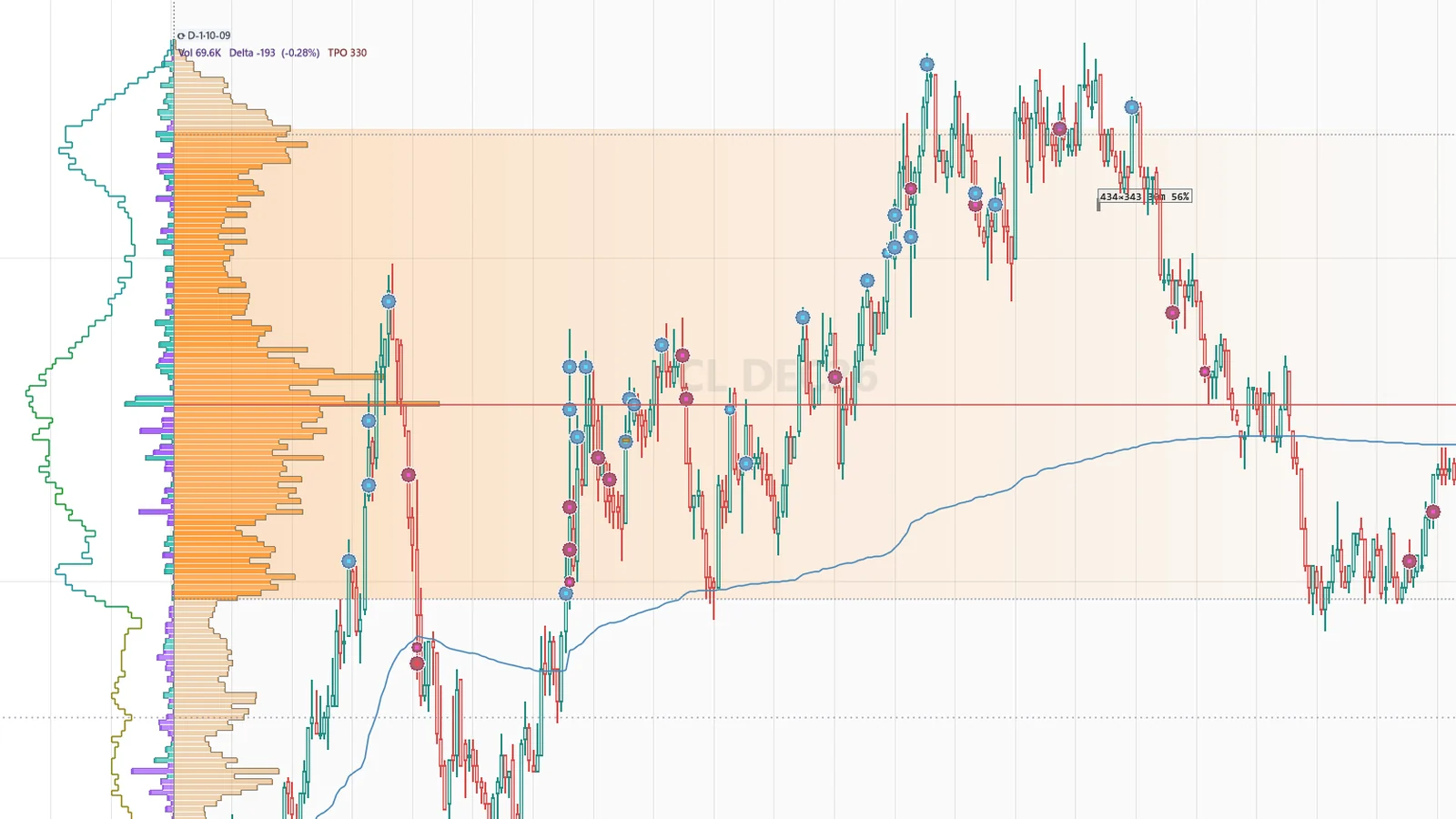
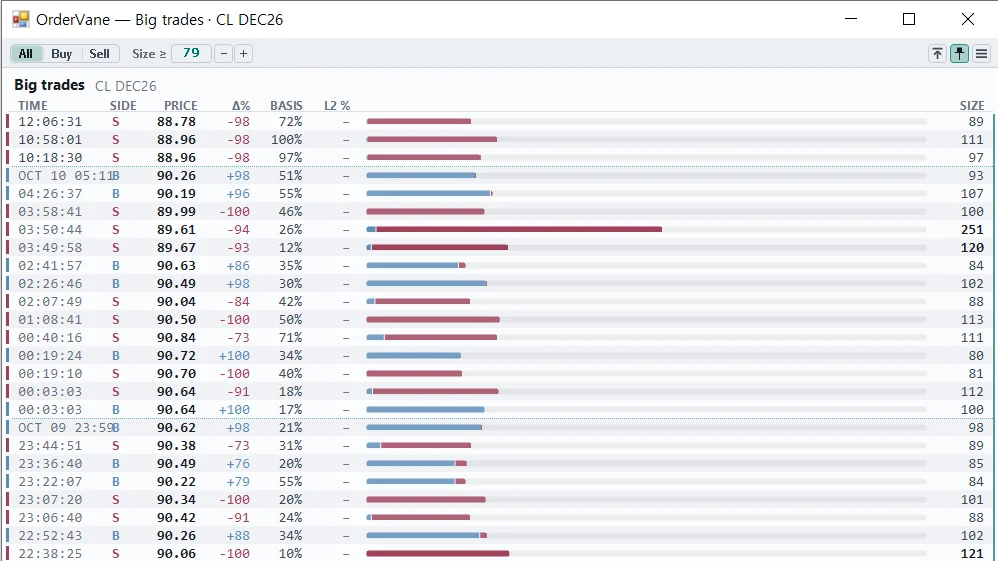
Big-trade detection bubbles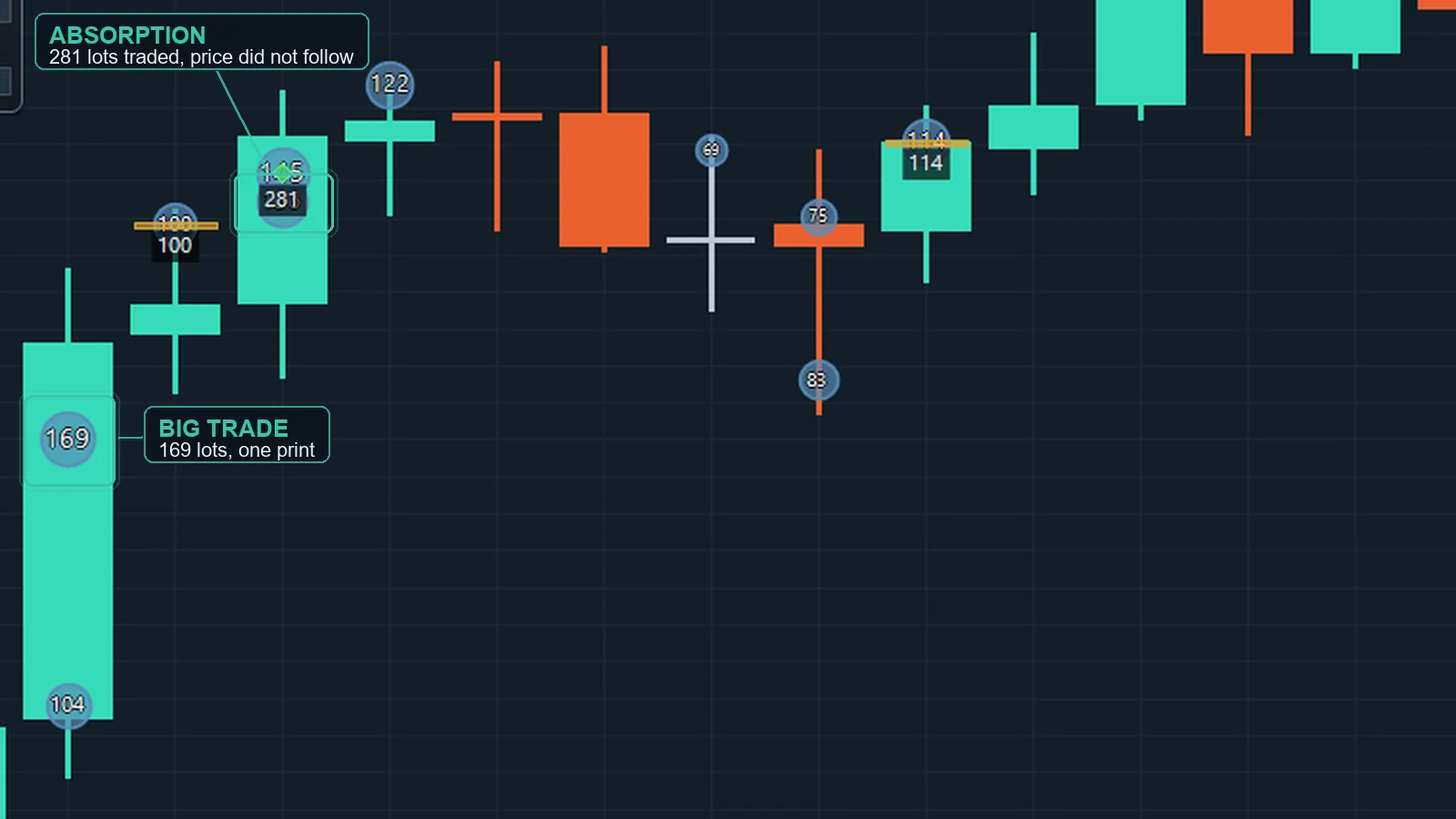 Large prints and rapid same-price bursts from the tape, drawn at the exact price and time. Where the tick history does not reach OrderVane leaves the bubbles out and marks the price levels that took unusual volume instead — a line that holds until price trades back through it, colored by the side that traded more. Size scales with volume, color shows the aggressor side. Large prints and rapid same-price bursts from the tape, drawn at the exact price and time. Where the tick history does not reach OrderVane leaves the bubbles out and marks the price levels that took unusual volume instead — a line that holds until price trades back through it, colored by the side that traded more. Size scales with volume, color shows the aggressor side. |
Aggression clusters & absorption bars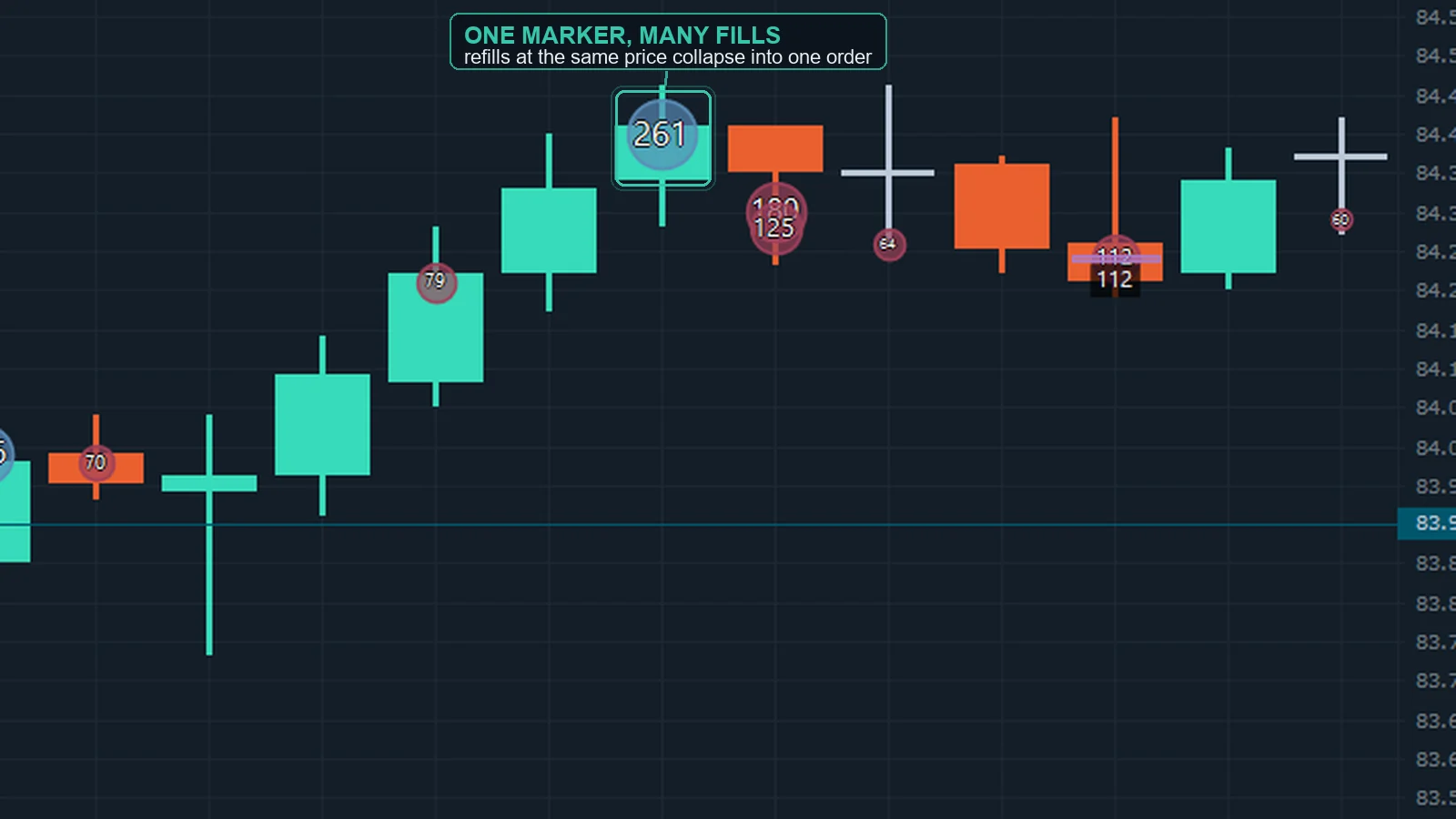 Diamonds mark runs of same-side aggressive prints; absorption bars mark heavy volume printing at a price that refuses to move. Diamonds mark runs of same-side aggressive prints; absorption bars mark heavy volume printing at a price that refuses to move. |
Adaptive threshold & size filter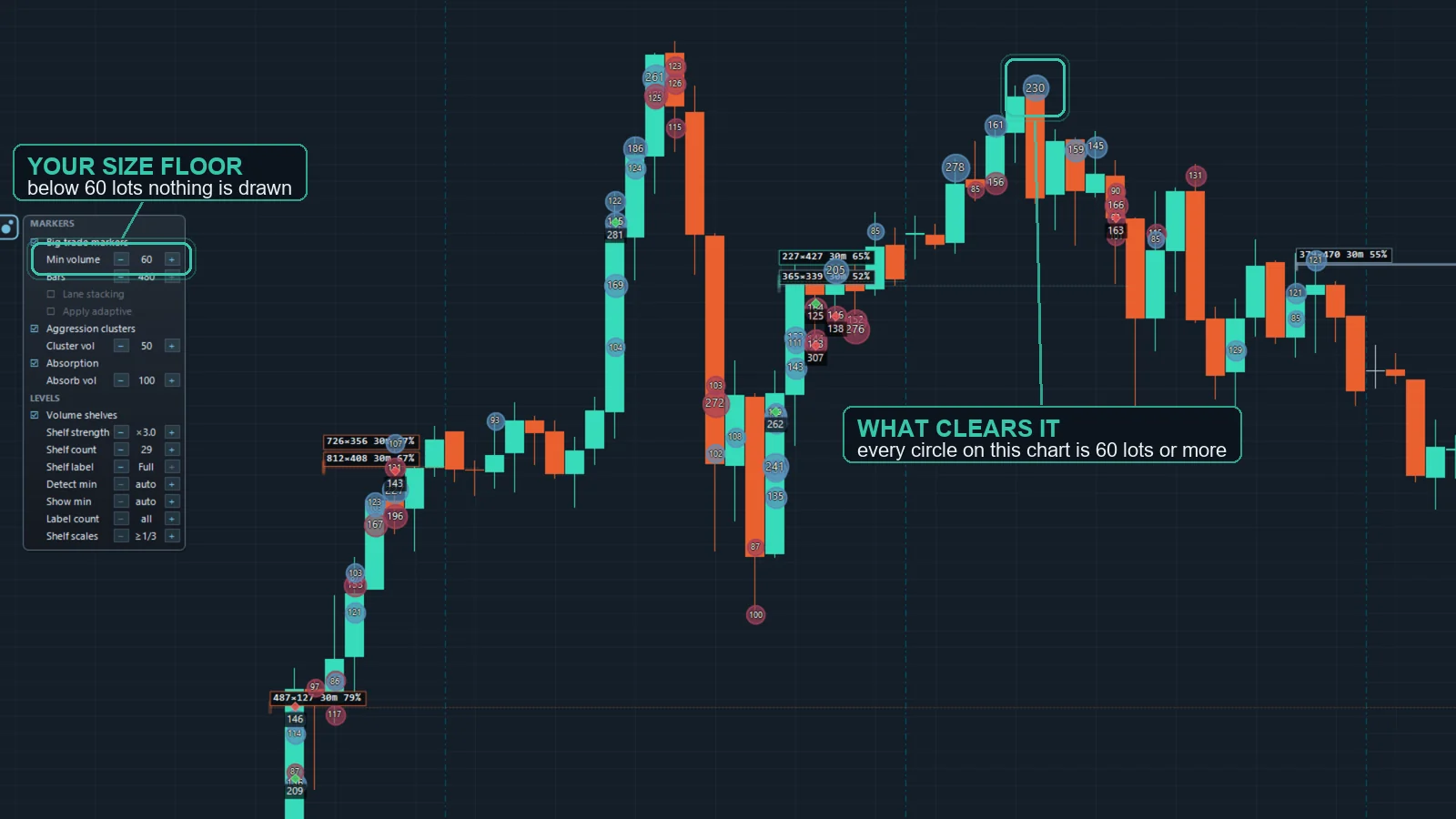 An adaptive 'big trade' size is worked out from recent daily activity (daily-max average × your factor) and shown on the chart; switch on Apply adaptive to markers to filter by it. The fixed size floor is the default. An adaptive 'big trade' size is worked out from recent daily activity (daily-max average × your factor) and shown on the chart; switch on Apply adaptive to markers to filter by it. The fixed size floor is the default. |
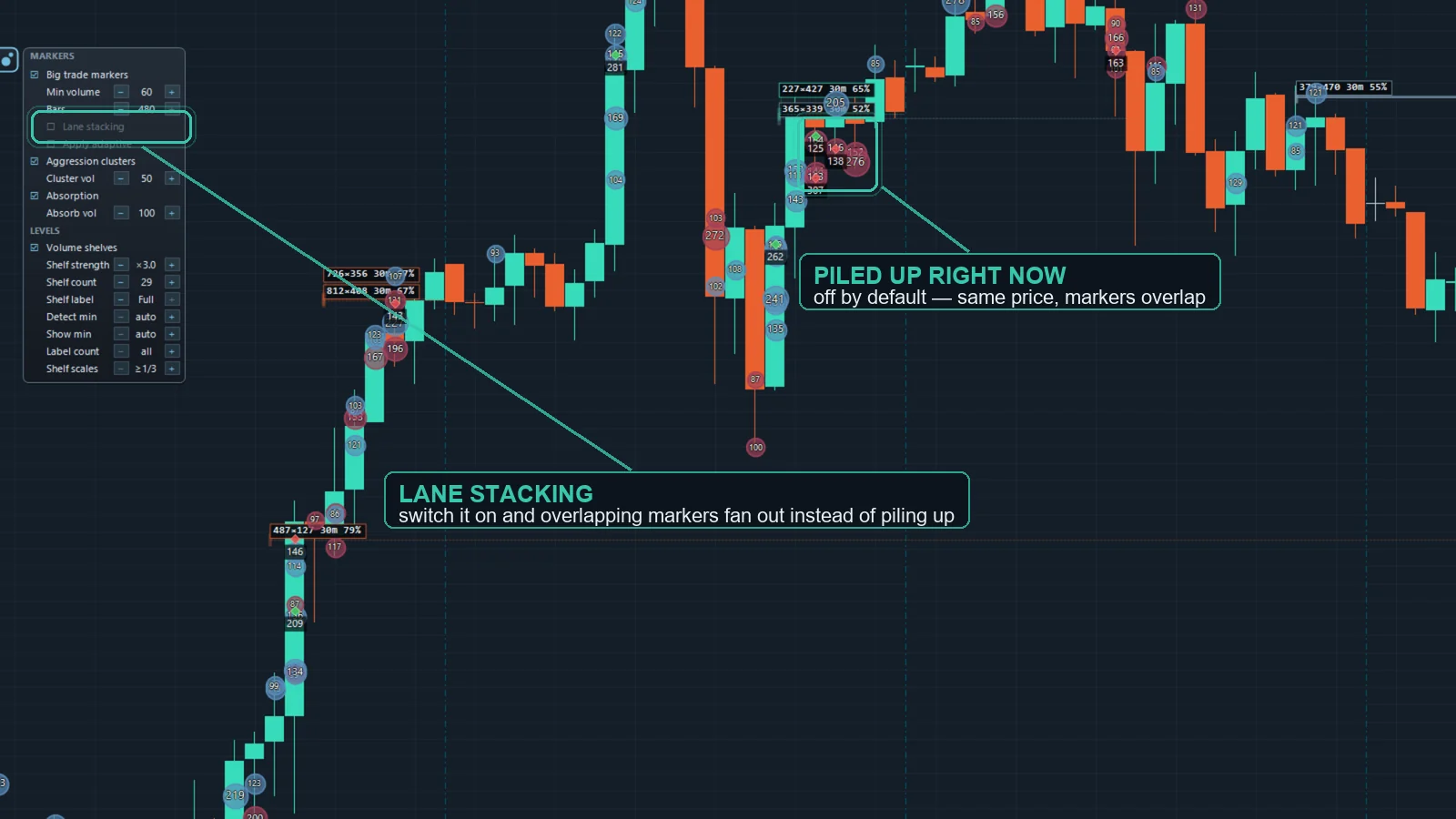
Refill grouping & lane stacking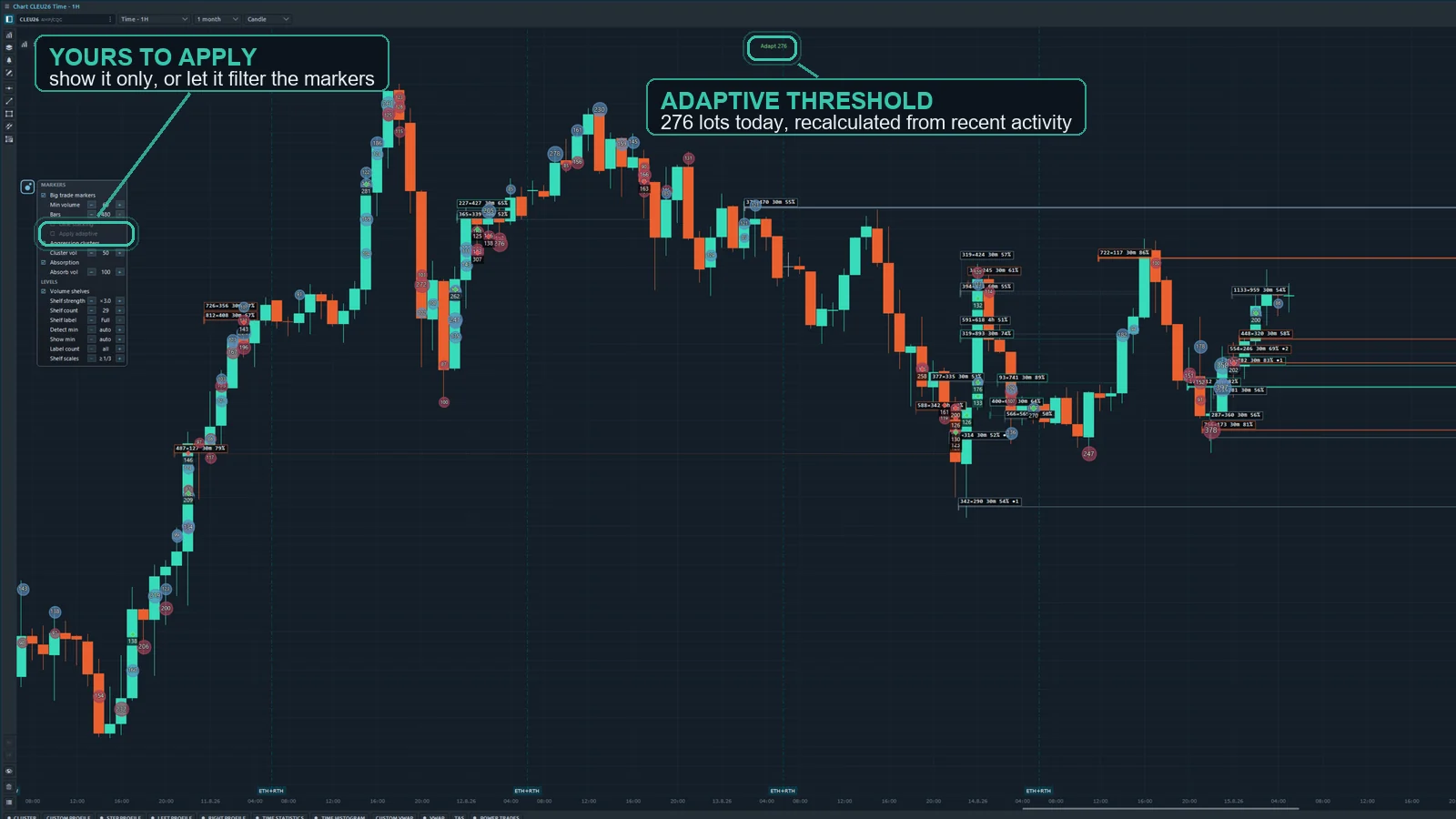 Executions split at the same price and side are regrouped into one logical order (iceberg refills), and overlapping markers fan out into lanes so every print stays readable. Executions split at the same price and side are regrouped into one logical order (iceberg refills), and overlapping markers fan out into lanes so every print stays readable. |
| Audible alerts & live + historical chartsA sound plays the moment a qualifying big trade prints — always matching what the bubbles show. Markers render on live and historical charts alike. |
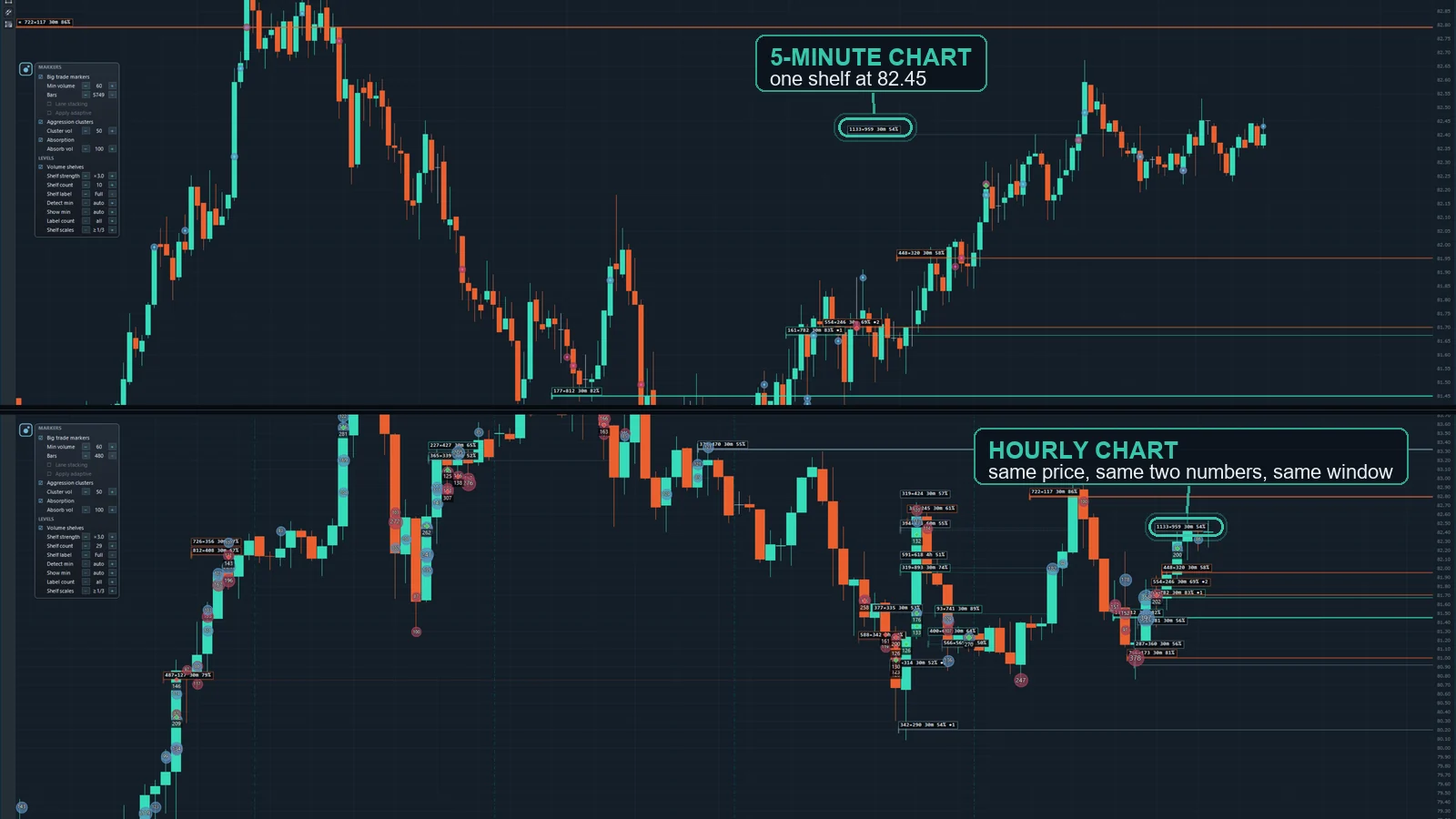
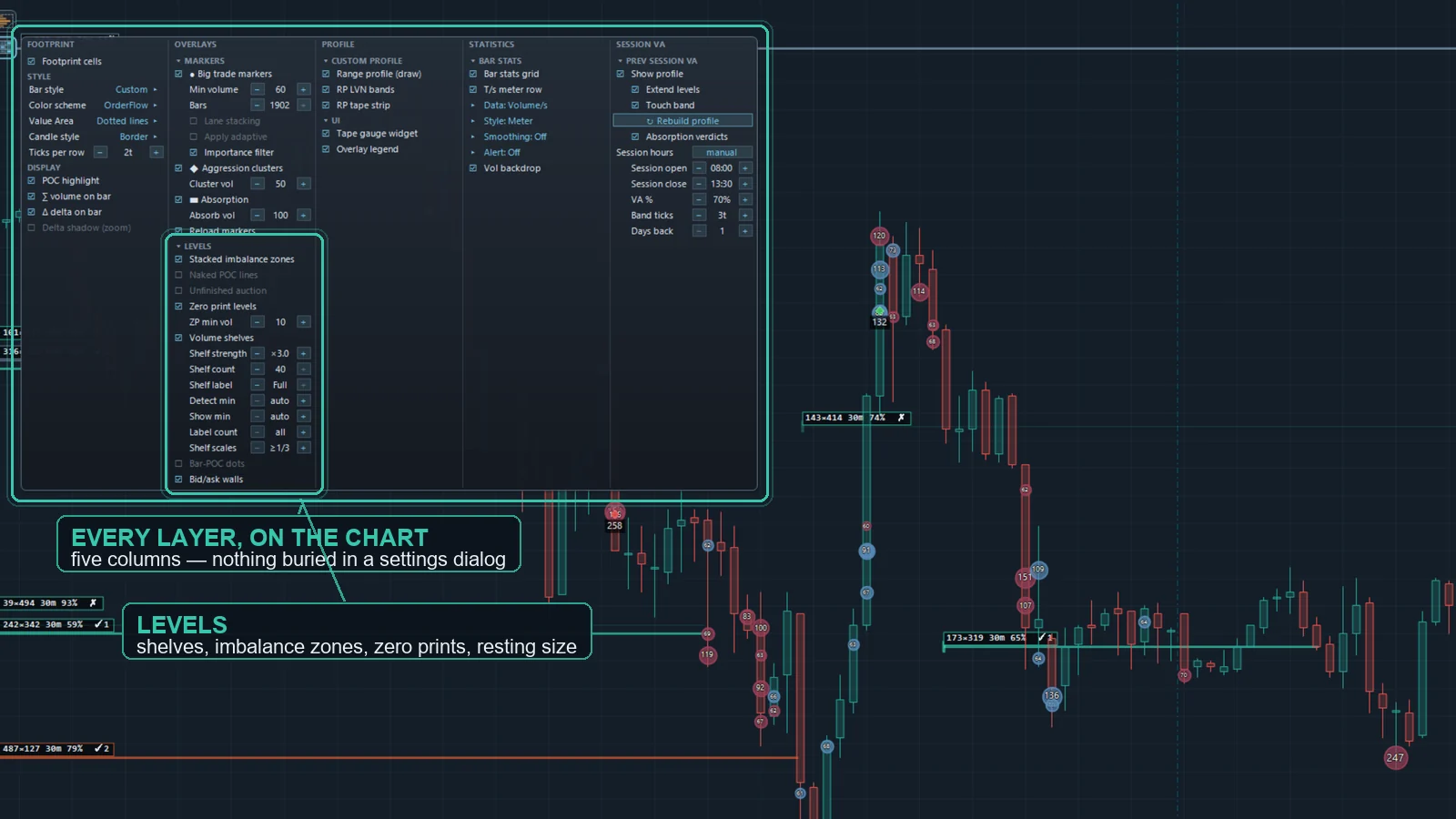
Volume shelves (three windows, any timeframe)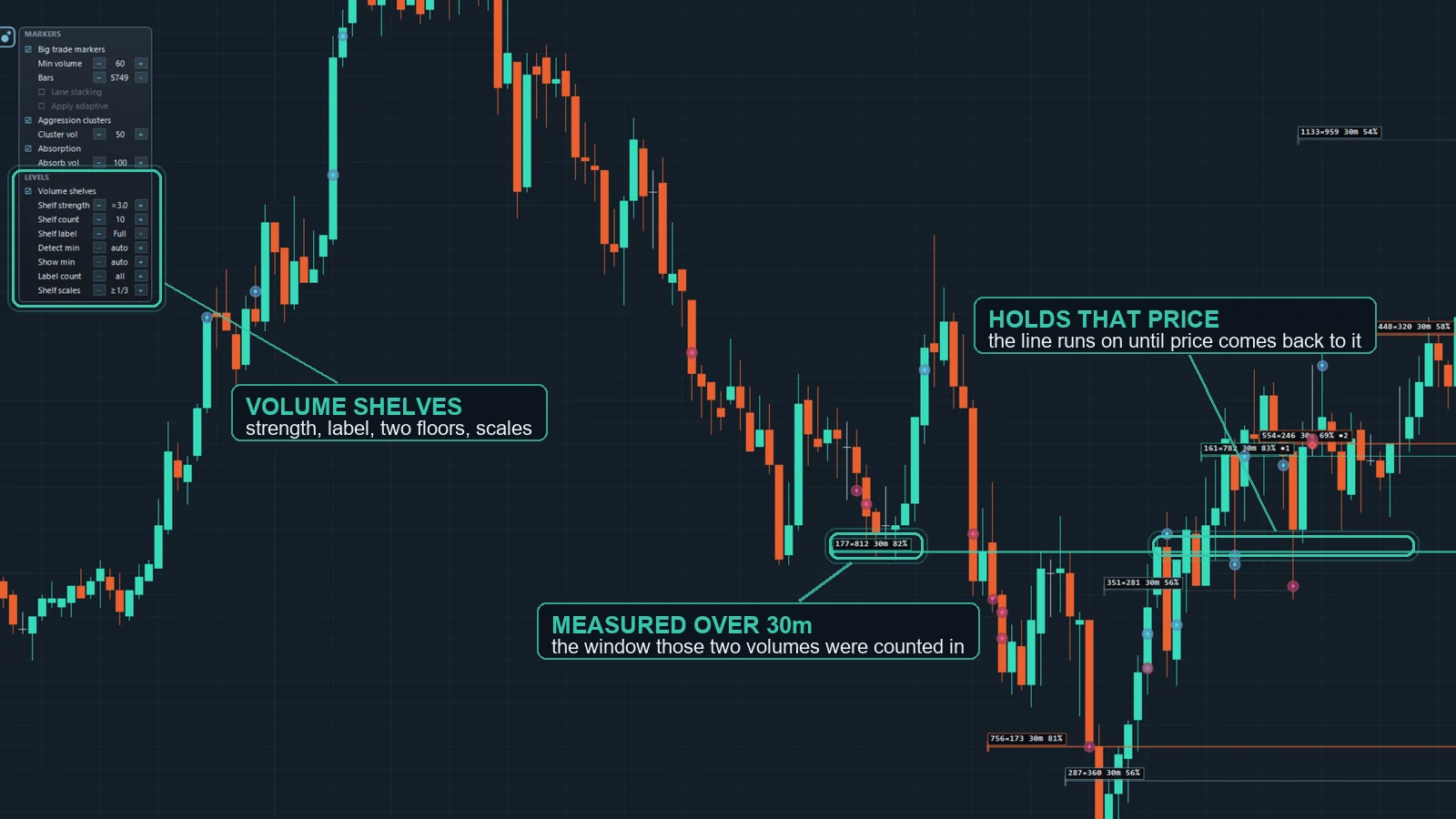 Volume is counted at every price over three rolling windows — 30, 60 and 240 minutes — and a line is drawn where an unusual share of it stacked up, labelled with the two volumes, the window and the share. The measurement runs on its own five-minute source, so the same shelf sits at the same price on a one-minute chart and on an hourly one. Volume is counted at every price over three rolling windows — 30, 60 and 240 minutes — and a line is drawn where an unusual share of it stacked up, labelled with the two volumes, the window and the share. The measurement runs on its own five-minute source, so the same shelf sits at the same price on a one-minute chart and on an hourly one. |
Shelf history (held / visits)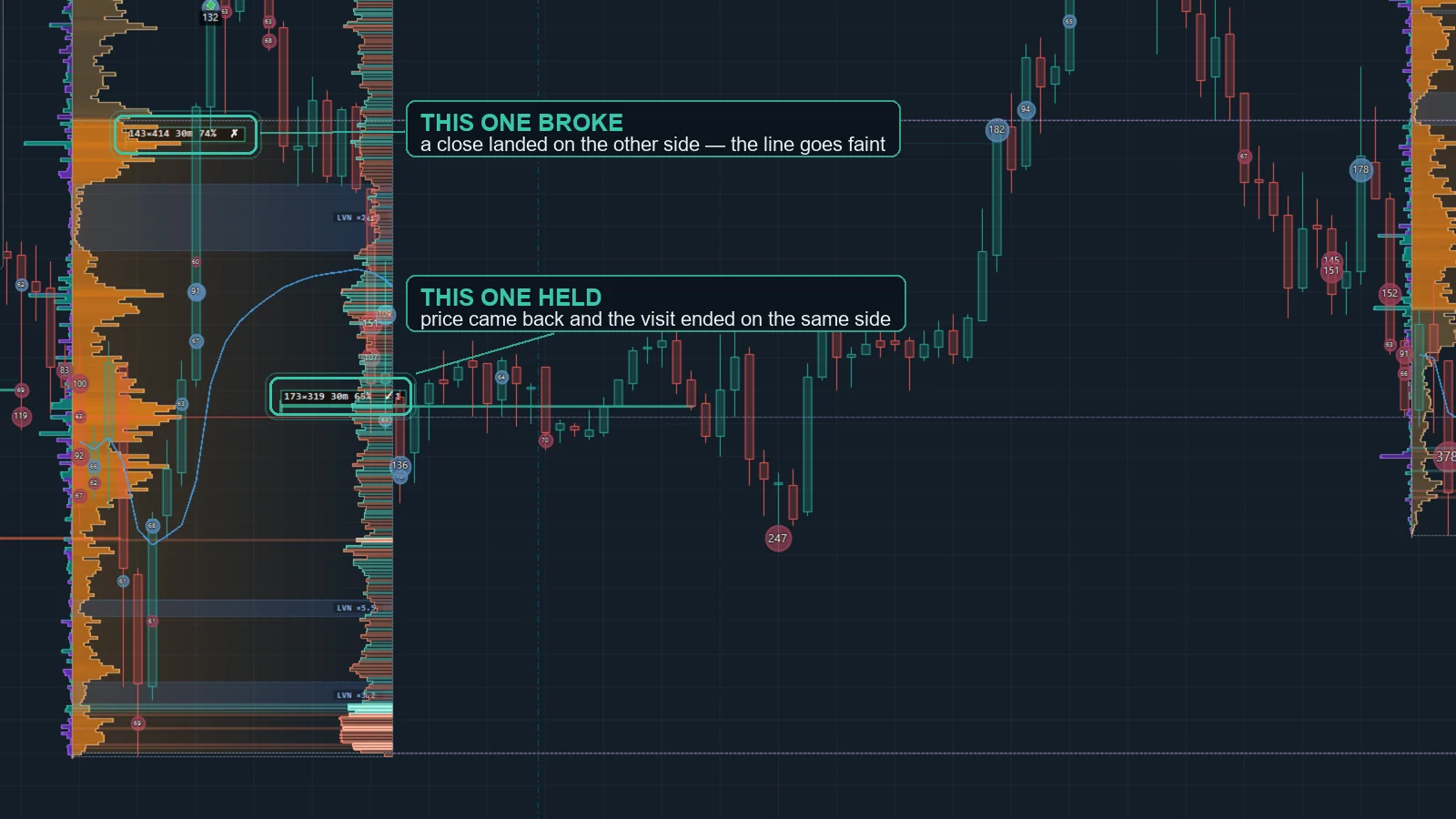 Pro counts what happens when price comes back. The label reads 3/8 — eight visits, three of them ended without a close on the other side. The line carries the current state: solid while the last close respected the level, faint and dotted once one landed beyond it. It is a record, not a forecast — we looked for a pattern in the repeat visits and could not find one, so the label makes no claim. Pro counts what happens when price comes back. The label reads 3/8 — eight visits, three of them ended without a close on the other side. The line carries the current state: solid while the last close respected the level, faint and dotted once one landed beyond it. It is a record, not a forecast — we looked for a pattern in the repeat visits and could not find one, so the label makes no claim. |
| Pro adds |
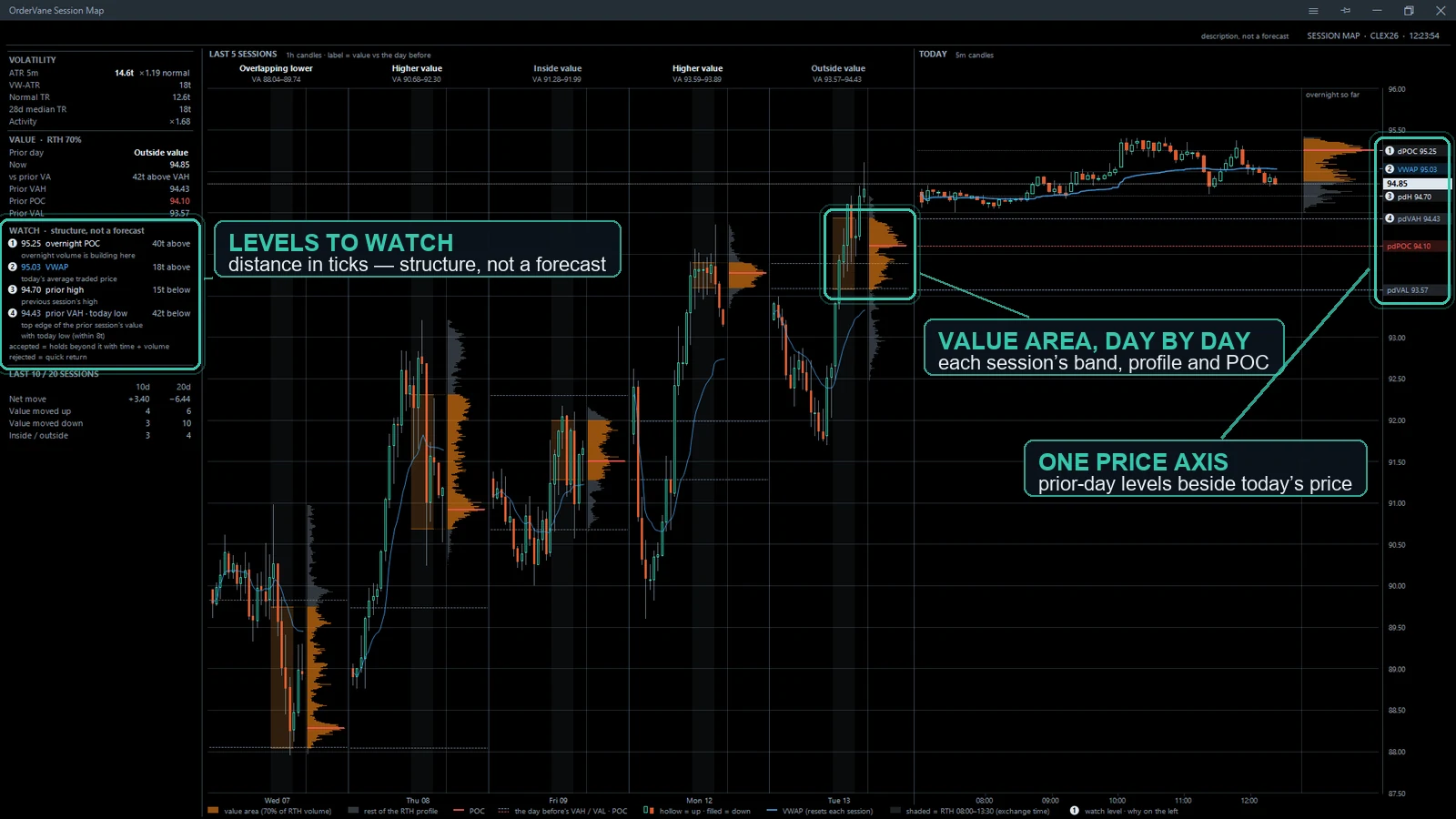
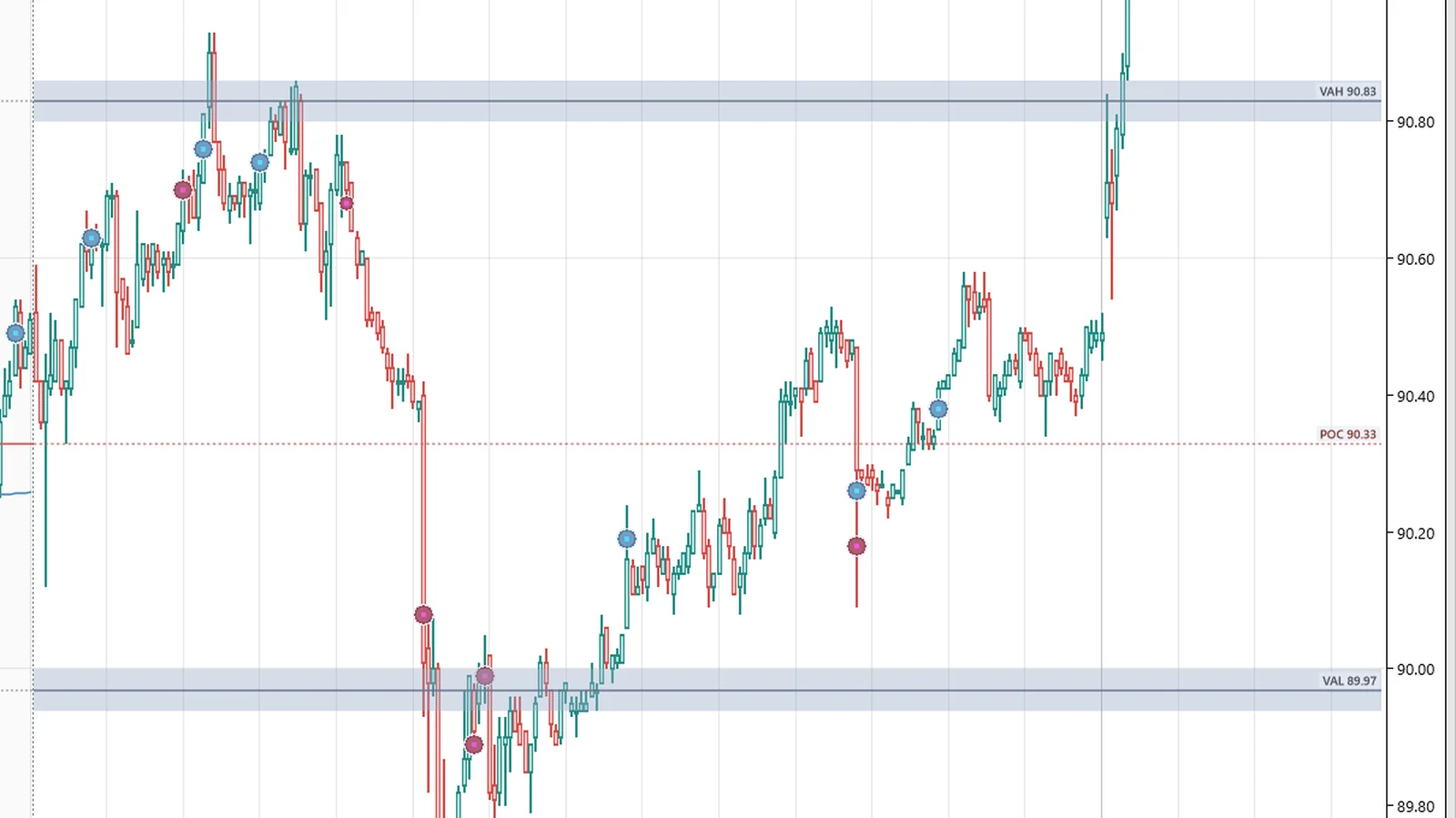
Session levels & absorption at touch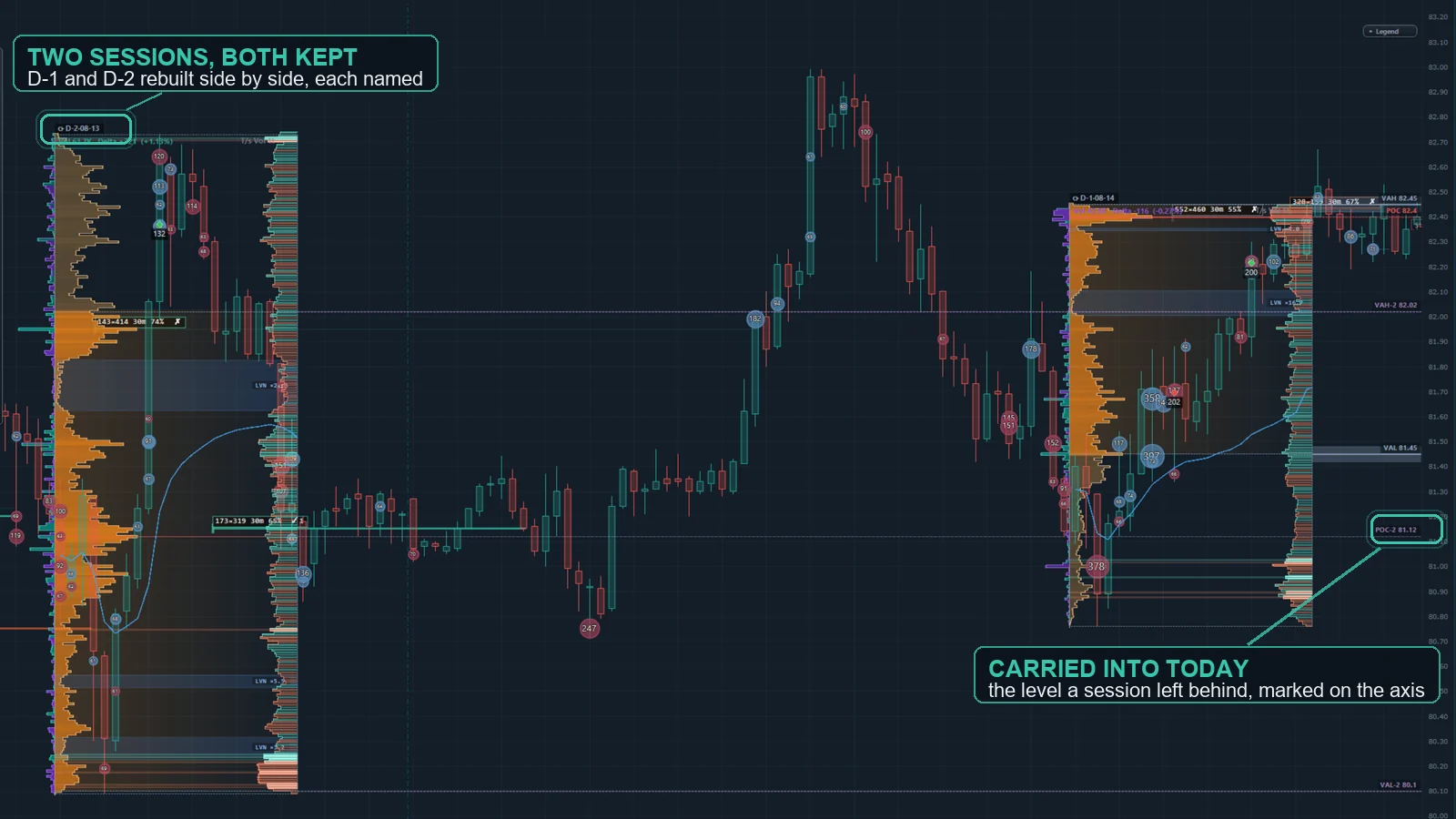 The previous session is rebuilt automatically and its VAH, POC and VAL are carried into today with a band around each. When price returns and size trades into the level without pushing through, the touch is marked — an observation of what happened there, not a forecast. The previous session is rebuilt automatically and its VAH, POC and VAL are carried into today with a band around each. When price returns and size trades into the level without pushing through, the touch is marked — an observation of what happened there, not a forecast. |
Bid/ask walls (live resting size)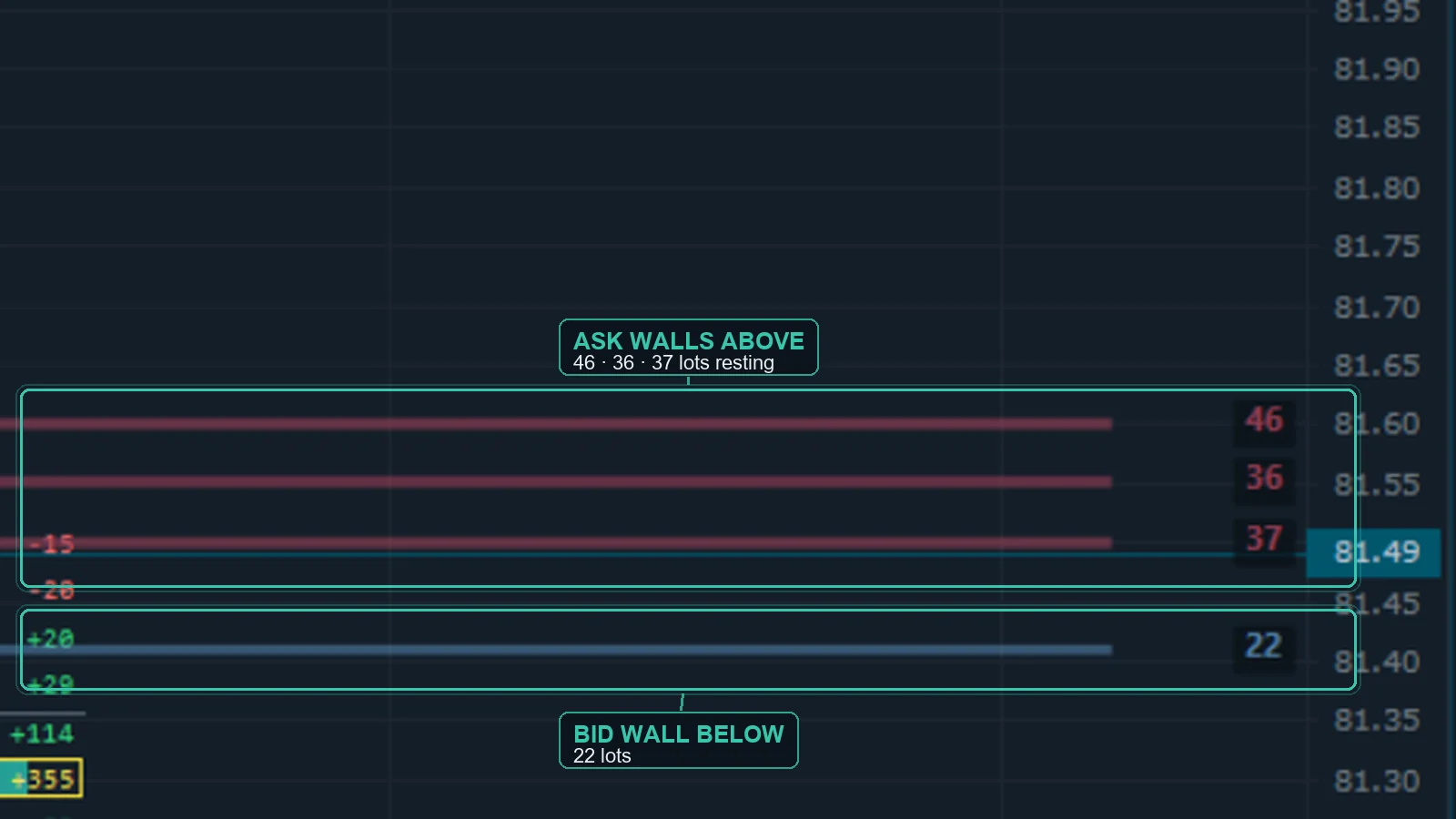 Order-book levels holding unusually large resting size, drawn from the moment they appear — line thickness tracks size, and pulled walls fade out instead of vanishing. Resting orders can be pulled at any moment. Requires Level 2 (market depth) data. Order-book levels holding unusually large resting size, drawn from the moment they appear — line thickness tracks size, and pulled walls fade out instead of vanishing. Resting orders can be pulled at any moment. Requires Level 2 (market depth) data. |
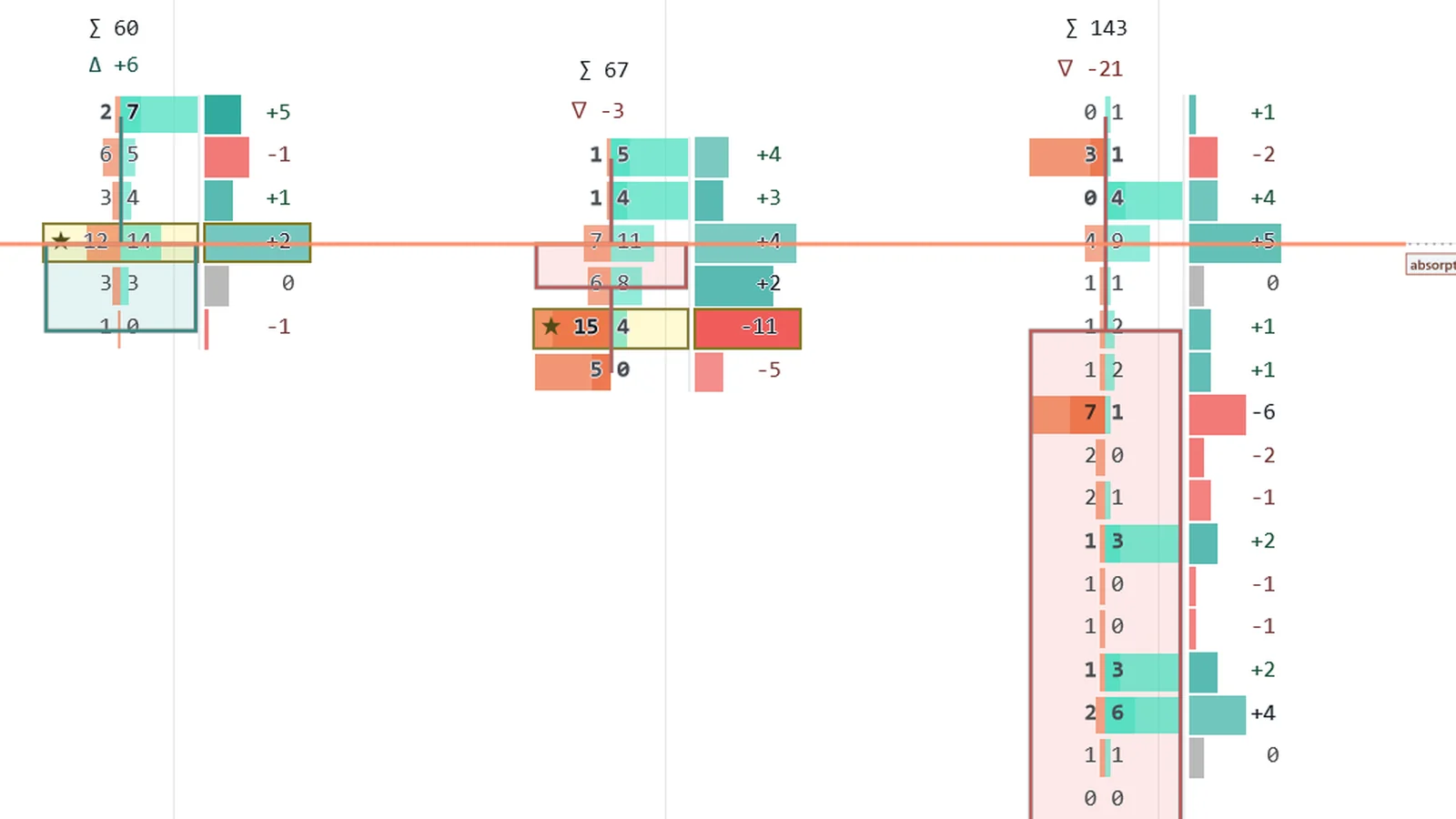
Footprint suite (cells, takeover, zones & presets)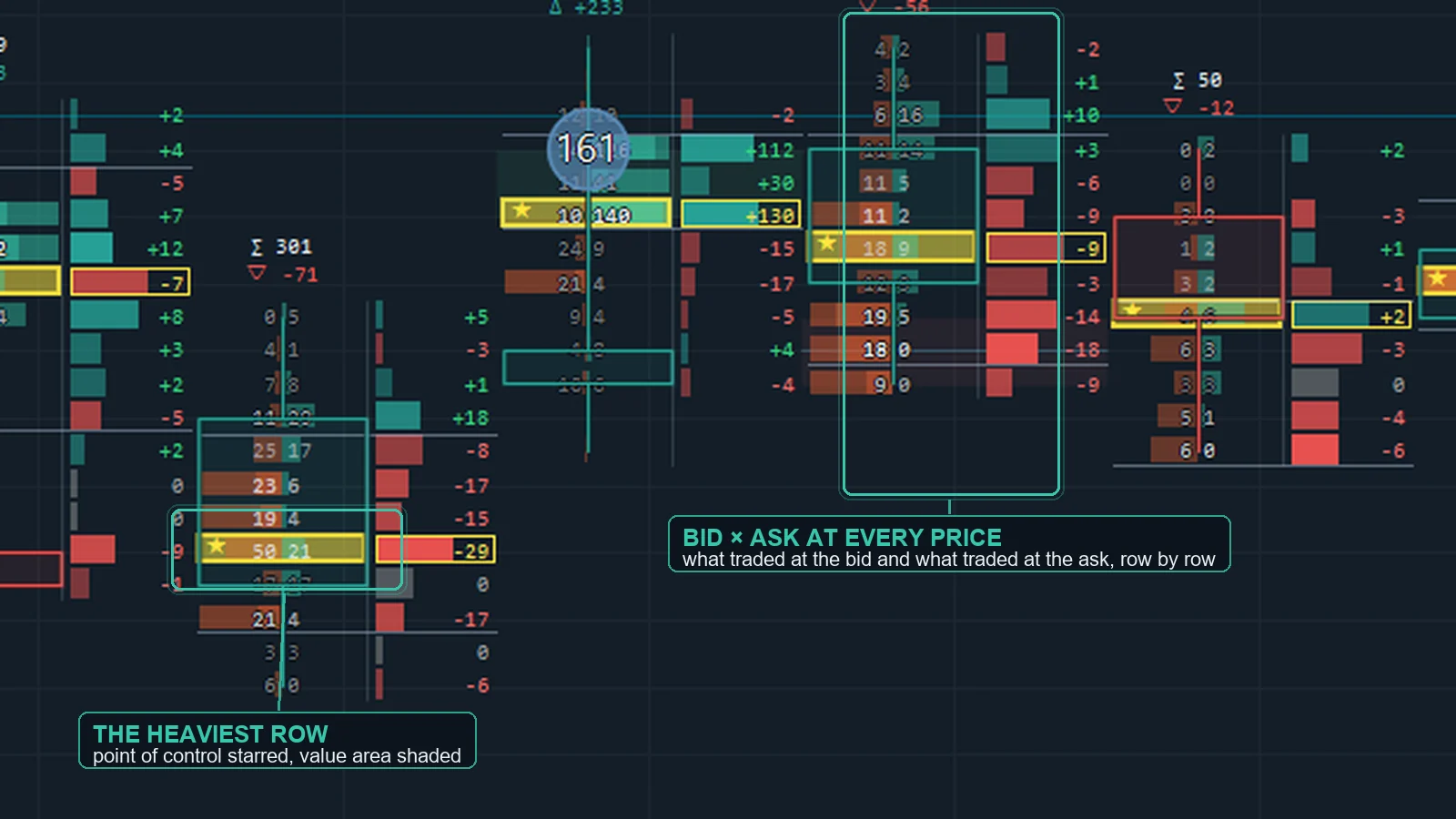 The full footprint: bid × ask cells with in-cell volume bars and an instant tick engine, candle takeover (install it and the chart becomes a footprint chart), diagonal and tiered imbalances, stacked-imbalance zones that extend until broken, naked-POC lines, dotted value-area ranges, zero-print levels, reload markers, outlier-delta highlights, zoom-out delta shadows, one-click style presets and deep cell tuning — with a themed on-chart quick panel and a readability system that keeps cells legible at every zoom. The full footprint: bid × ask cells with in-cell volume bars and an instant tick engine, candle takeover (install it and the chart becomes a footprint chart), diagonal and tiered imbalances, stacked-imbalance zones that extend until broken, naked-POC lines, dotted value-area ranges, zero-print levels, reload markers, outlier-delta highlights, zoom-out delta shadows, one-click style presets and deep cell tuning — with a themed on-chart quick panel and a readability system that keeps cells legible at every zoom. |
Imbalance highlights & POC / value area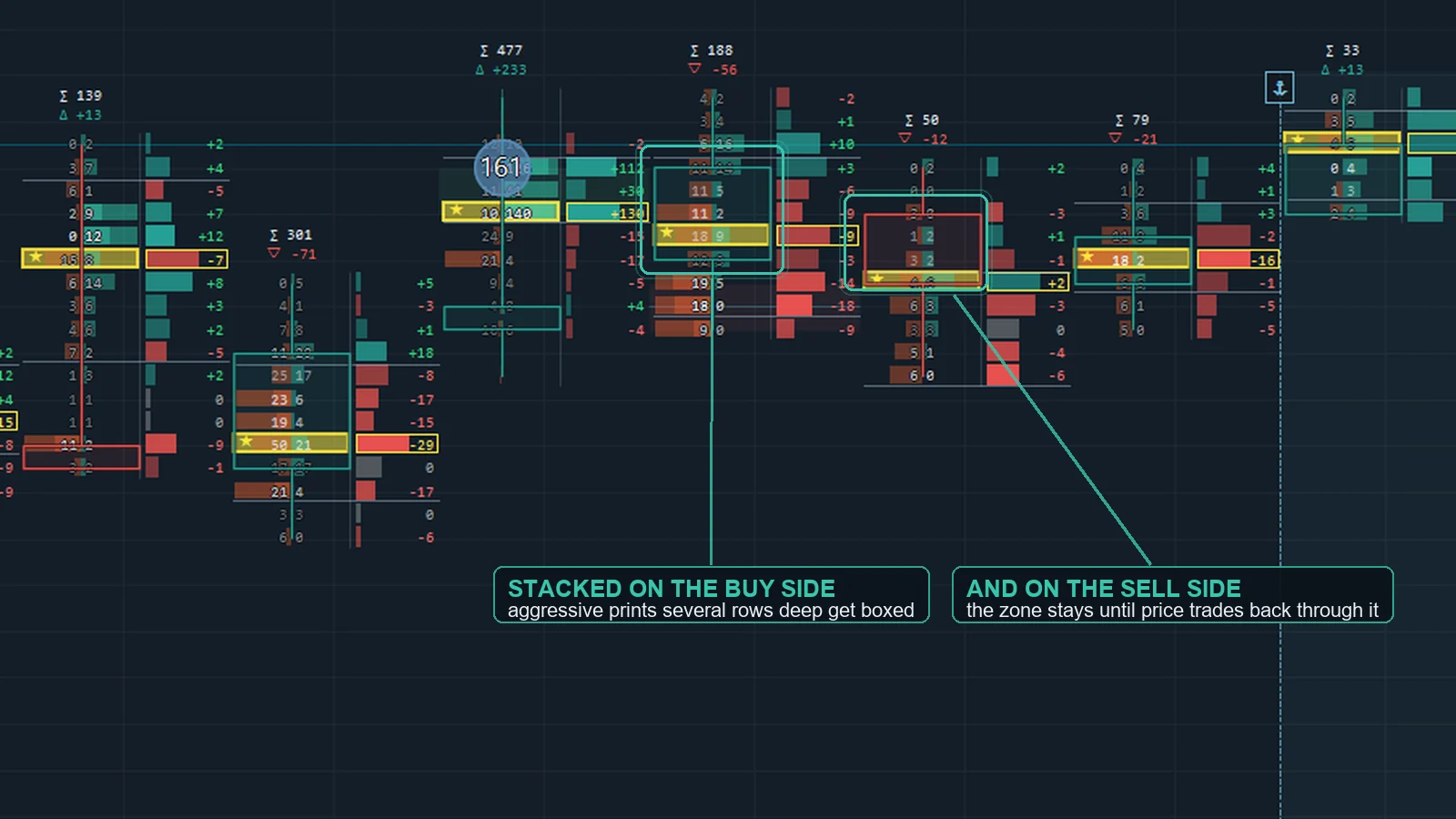 Same-price bid/ask imbalances marked as background chips — with an adaptive minimum-volume floor that tunes itself to the symbol — plus per-bar POC highlight and value-area shading. Same-price bid/ask imbalances marked as background chips — with an adaptive minimum-volume floor that tunes itself to the symbol — plus per-bar POC highlight and value-area shading. |
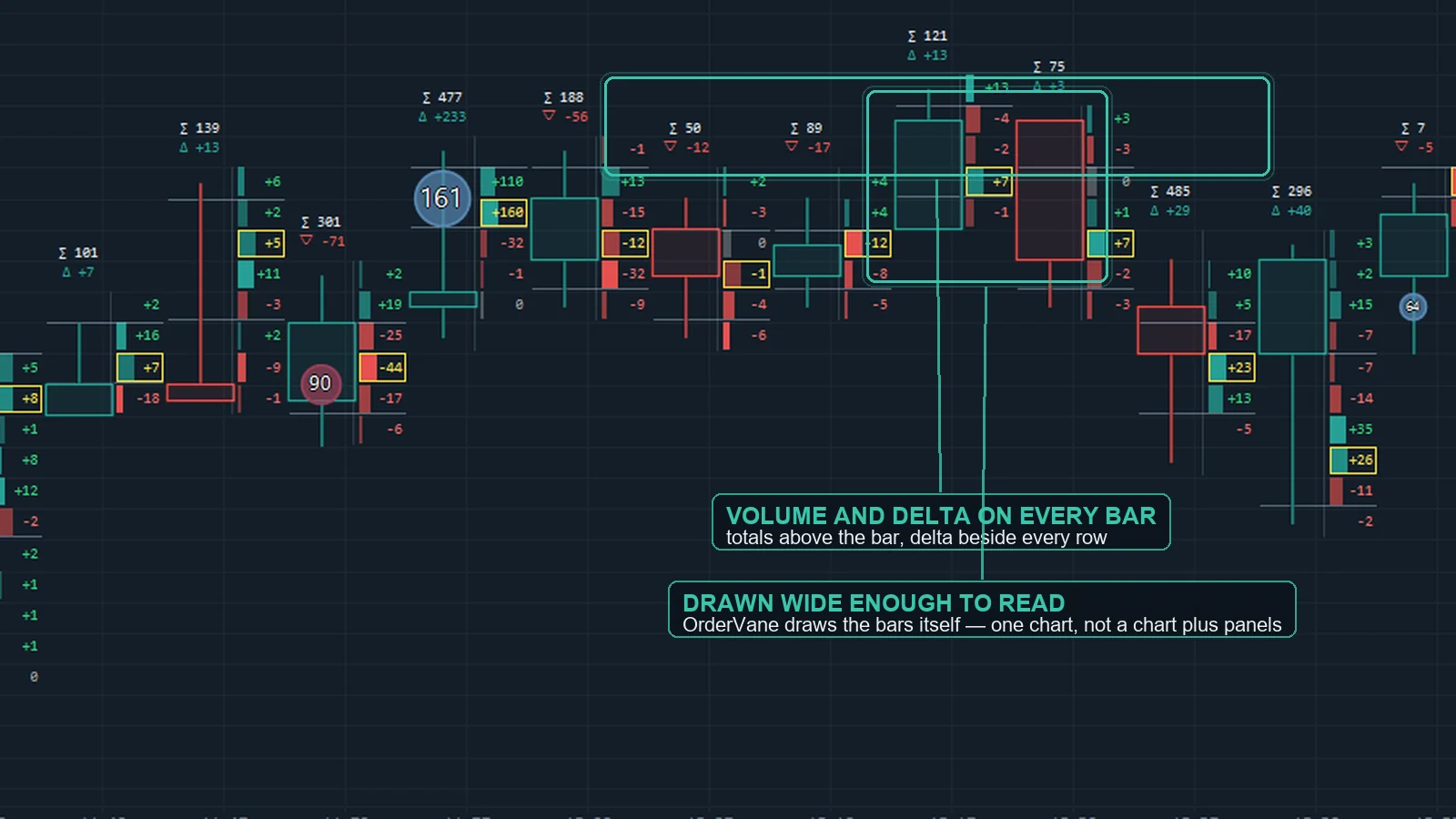
Per-bar statistics (on-chart)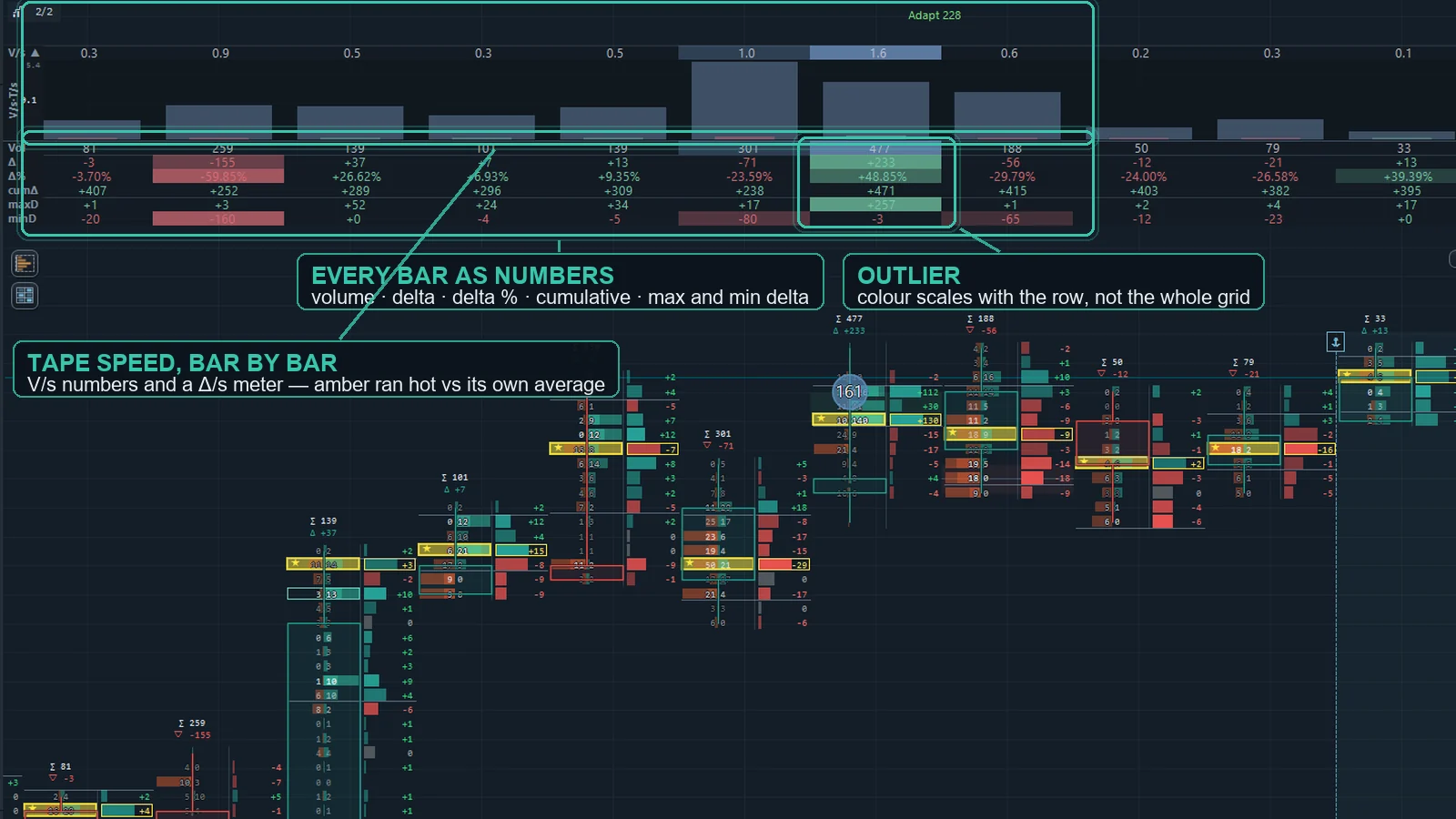 Per-bar rows drawn right on the main chart with heat coloring — Volume, Delta, Delta%, cumulative delta, max/min delta, trades, buy/sell volume, bar-POC price, volume/sec and duration. Per-bar rows drawn right on the main chart with heat coloring — Volume, Delta, Delta%, cumulative delta, max/min delta, trades, buy/sell volume, bar-POC price, volume/sec and duration. |
Tape speed, by bar and by price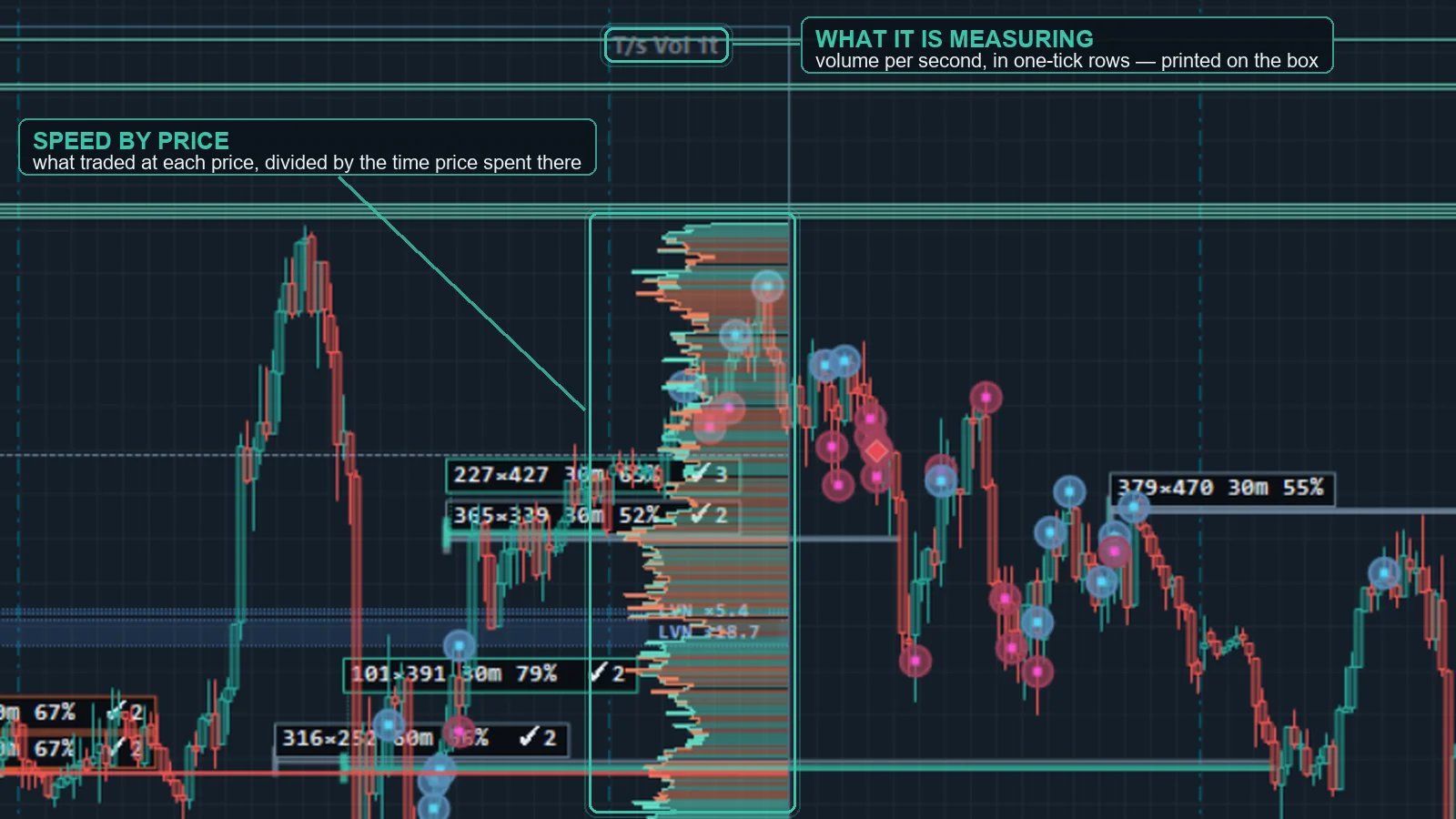 Speed read two ways: a tape-speed row in the statistics grid (Meter, Numbers or Bipolar styles, eight data sources from trades/s to average trade size, an SMA/EMA control line and absolute scaling), and a per-price speed profile inside any range-profile box. Speed read two ways: a tape-speed row in the statistics grid (Meter, Numbers or Bipolar styles, eight data sources from trades/s to average trade size, an SMA/EMA control line and absolute scaling), and a per-price speed profile inside any range-profile box. |
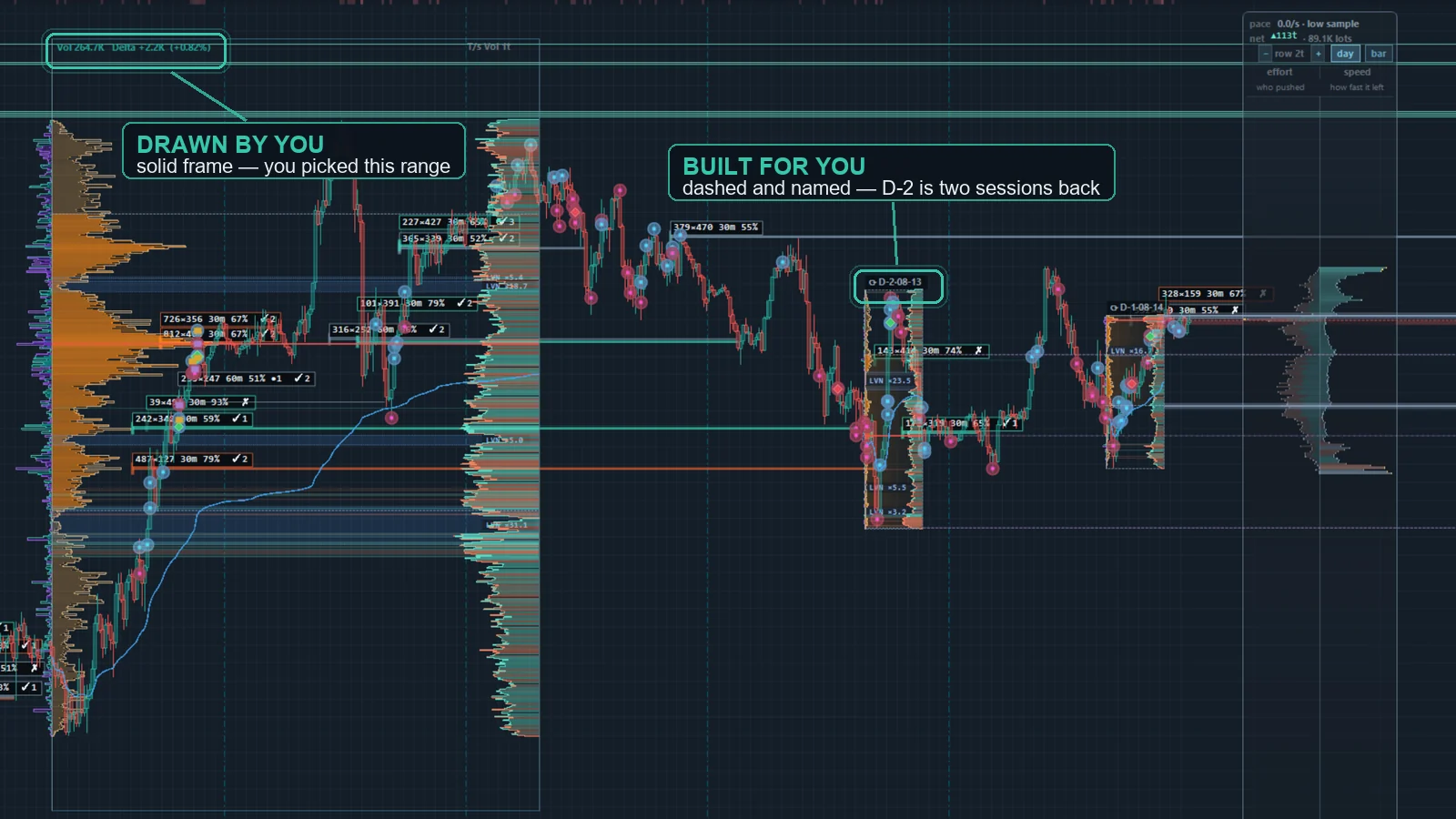
Range profile (drag on chart)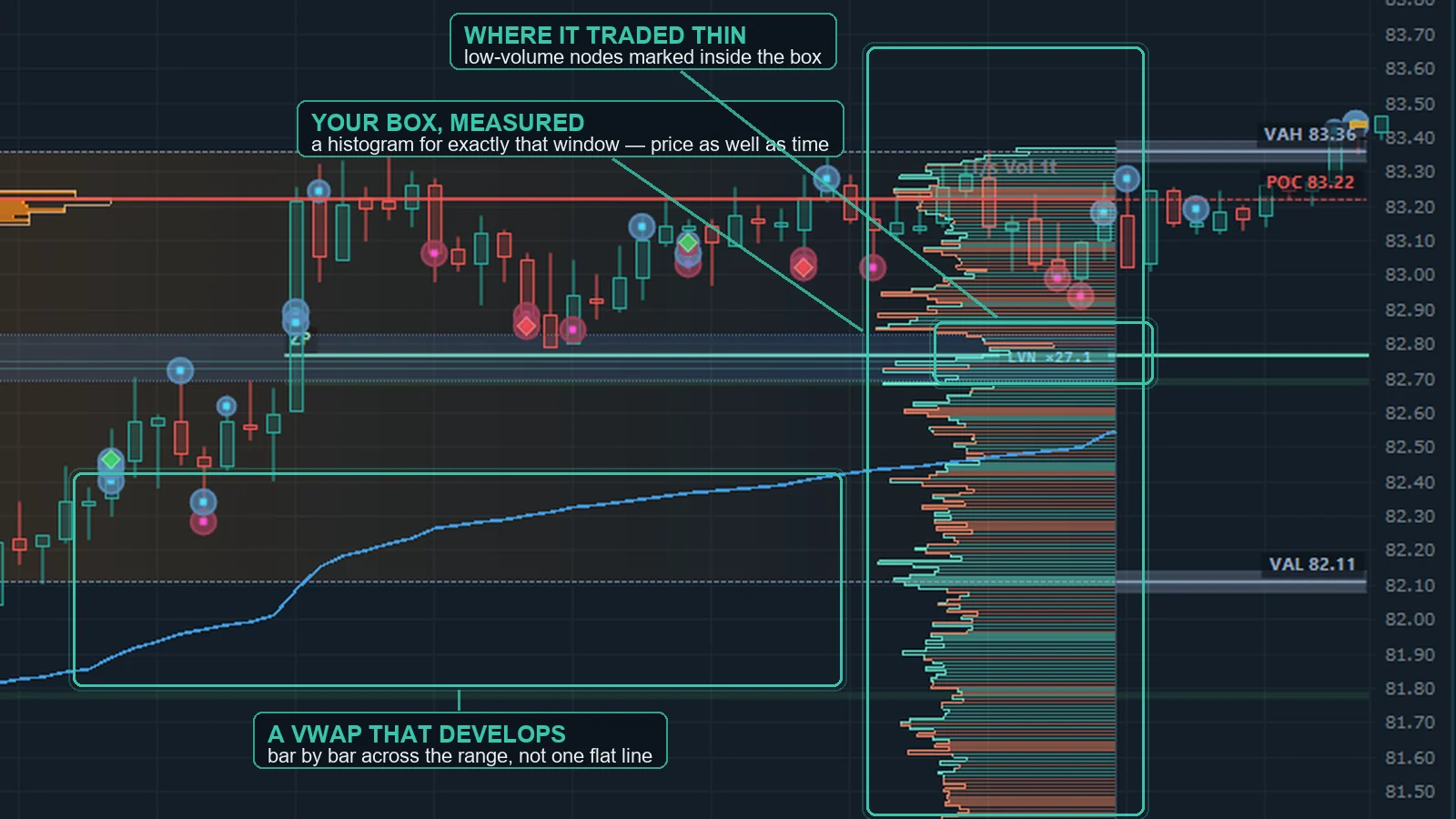 Drag a box over any bars for an instant profile of that exact range. Pick a source per side — volume, delta, buy, sell or TPO (time-at-price) — in a butterfly layout, overlay extra sources as lines, and read POC, value area, a developing VWAP and per-row values. The profile is computed inside the rubber band while you are still dragging the box out, so POC and value area are on screen before you release the mouse. Move and resize boxes right on the chart with grips, width handles and edit cursors, and add a per-price speed-of-tape profile with fast-LVN bands or a TPO age rainbow. Powered by the built-in tick engine. Drag a box over any bars for an instant profile of that exact range. Pick a source per side — volume, delta, buy, sell or TPO (time-at-price) — in a butterfly layout, overlay extra sources as lines, and read POC, value area, a developing VWAP and per-row values. The profile is computed inside the rubber band while you are still dragging the box out, so POC and value area are on screen before you release the mouse. Move and resize boxes right on the chart with grips, width handles and edit cursors, and add a per-price speed-of-tape profile with fast-LVN bands or a TPO age rainbow. Powered by the built-in tick engine. |
| OrderVane DOM |
Flow panel Between the tape and the ladder, every row keeps the last few minutes of resting size at that price, and every trade is drawn on it as a circle. A band that stays while circles hit it held. One that ends with circles was filled. One that ends without circles was pulled. One that comes back after circles refilled. These are observations, not signals. Between the tape and the ladder, every row keeps the last few minutes of resting size at that price, and every trade is drawn on it as a circle. A band that stays while circles hit it held. One that ends with circles was filled. One that ends without circles was pulled. One that comes back after circles refilled. These are observations, not signals. |
Adds and pulls, by side Two columns count the size added and pulled at each price over the last few seconds — one for the bid side, one for the ask side, on one shared scale. A pull on one side is never netted against an add on the other. Two columns count the size added and pulled at each price over the last few seconds — one for the bid side, one for the ask side, on one shared scale. A pull on one side is never netted against an add on the other. |
Fills versus pulls When resting size shrinks, OrderVane DOM waits a short window for a print at that price. A matching print makes it a fill; no print makes it a pull. Prices that keep filling get a chip such as F 10 ↻12 — 10 lots filled there, 12 put back while it was being hit — so absorption is something you can see, not guess. When resting size shrinks, OrderVane DOM waits a short window for a print at that price. A matching print makes it a fill; no print makes it a pull. Prices that keep filling get a chip such as F 10 ↻12 — 10 lots filled there, 12 put back while it was being hit — so absorption is something you can see, not guess. |
Order-level depth (MBO) When your connection sends order-level depth — on AMP/CQG one switch and a reconnect, Enable MBO mode — the ladder adds the number of orders at each price and draws the individual order sizes near the best prices in the order they arrived. Your own working orders get an estimate of the size ahead of them — an upper bound, and labeled as one. When your connection sends order-level depth — on AMP/CQG one switch and a reconnect, Enable MBO mode — the ladder adds the number of orders at each price and draws the individual order sizes near the best prices in the order they arrived. Your own working orders get an estimate of the size ahead of them — an upper bound, and labeled as one. |
Equalizer Five sliders over the flow panel — floor, top, bubble size, minimum trade and scale. Drag a track for a rough value or click the number to type an exact one. Five sliders over the flow panel — floor, top, bubble size, minimum trade and scale. Drag a track for a rough value or click the number to type an exact one. |
Tape and power meter A reconstructed time & sales sits beside the ladder with same-price prints grouped into one row. A header line sums buy and sell effort over the last seconds, and the adds and pulls around the best prices. A reconstructed time & sales sits beside the ladder with same-price prints grouped into one row. A header line sums buy and sell effort over the last seconds, and the adds and pulls around the best prices. |