OrderVane DOM for Quantower

Trade from your DOM. Read the book here.

OrderVane DOM opens a depth ladder in its own window beside Quantower's DOM Trader. It shows the size added and pulled on each side, which decreases were fills and which were pulls, where size was absorbed at a price, and how the book changed over the last few minutes.

Analysis only — it never places, changes or cancels an order.

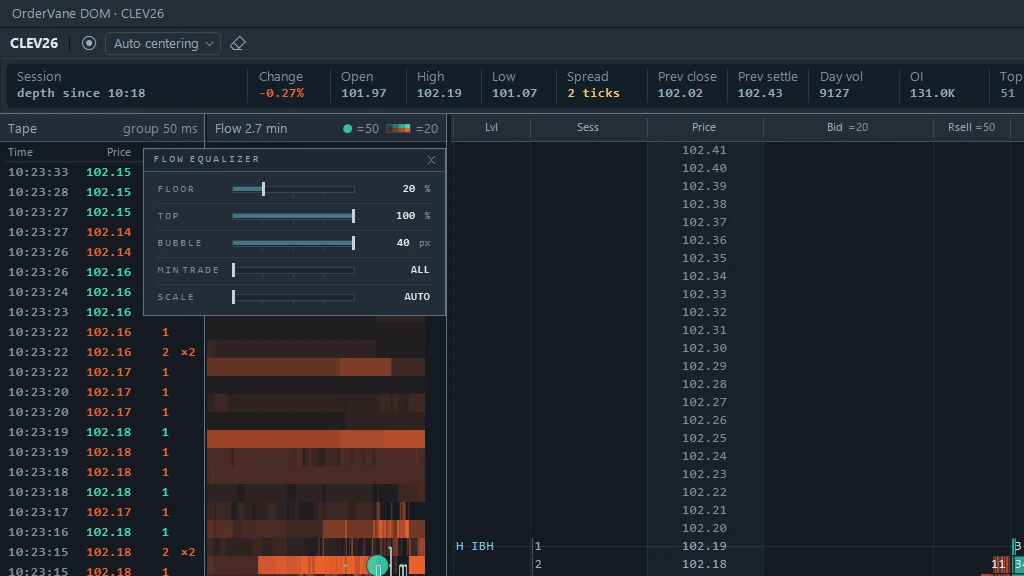
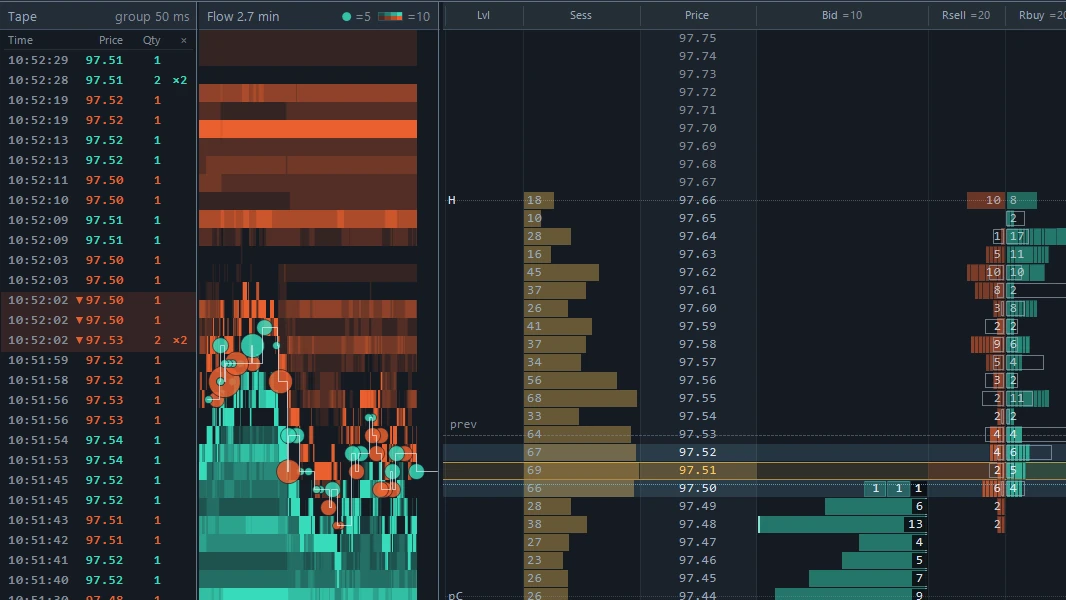
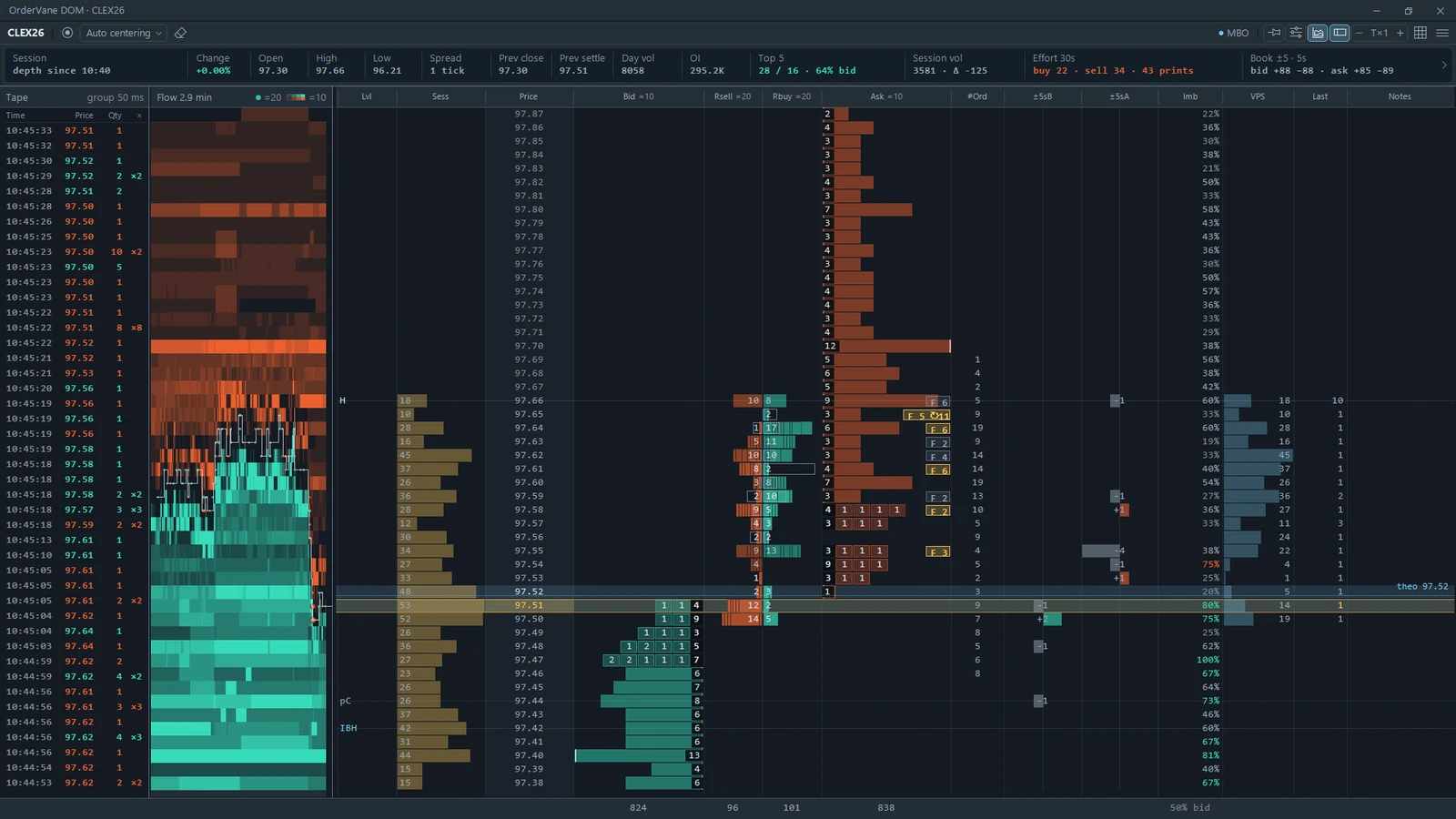
The OrderVane DOM window: tape on the left, the flow panel in the middle and the depth ladder on the right
The OrderVane DOM window — tape, flow panel and depth ladder, side by side.

What it reads

Four reads on every price.

Each column answers one question about a price, built from the same depth events and trades Quantower already receives.

The add and pull columns of OrderVane DOM, bid side and ask side in separate columns

Adds and pulls, by side

See which side stepped back.

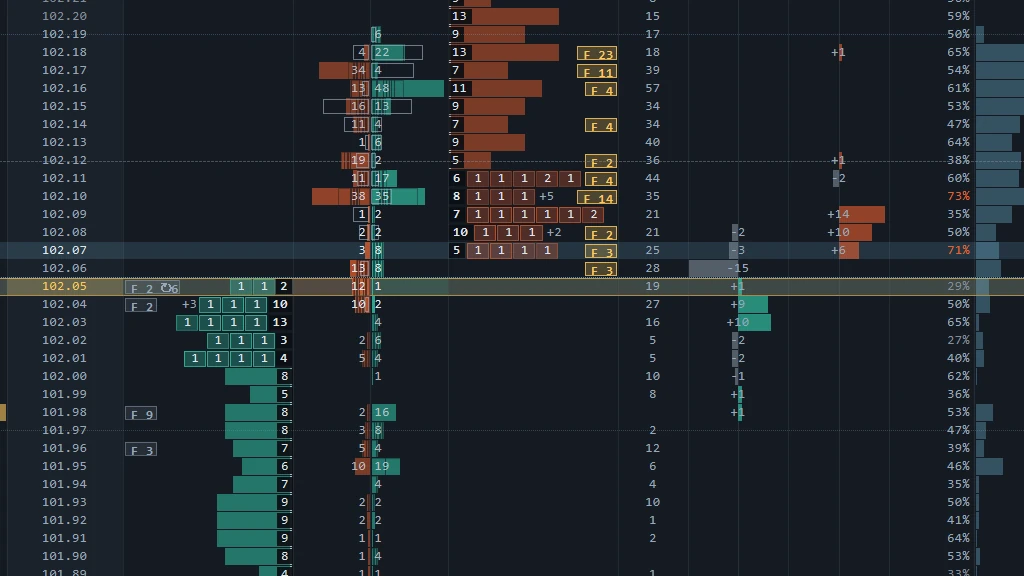
Two columns count the size added and pulled at each price over the last few seconds — one for the bid side, one for the ask side, on one shared scale. A pull on one side is never netted against an add on the other.

Absorption chips on the OrderVane DOM ladder showing size that left a price through fills, with a refill count

Fills versus pulls

Size that left through trades is marked.

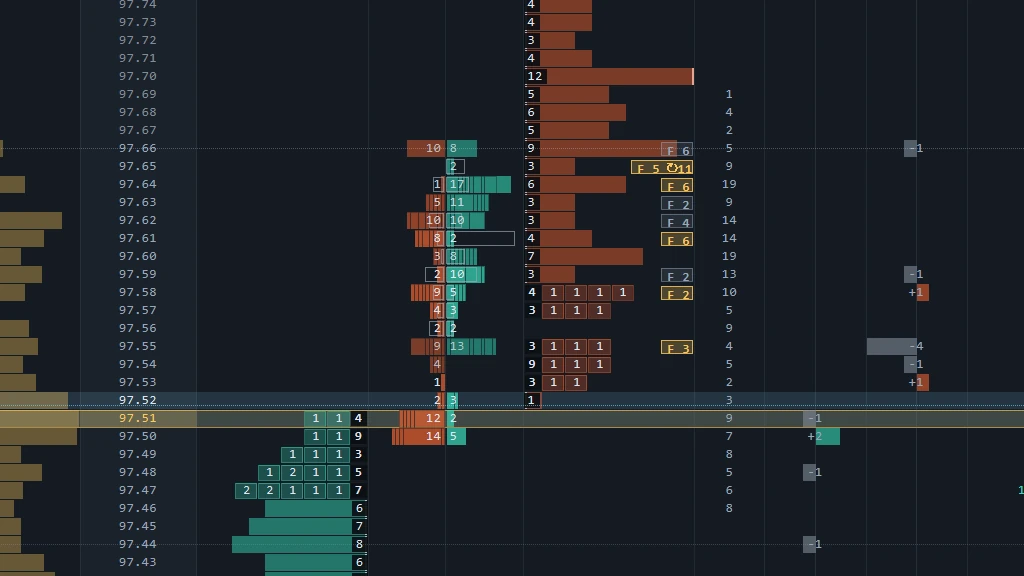
When resting size shrinks, OrderVane DOM waits a short window for a print at that price. A matching print makes it a fill; no print makes it a pull. Prices that keep filling get a chip such as F 41 with a refill count, so absorption is something you can see, not guess.

Individual order sizes near the best prices on the OrderVane DOM ladder, in the order they arrived

Order-level depth (MBO)

Orders in the queue, not only a total.

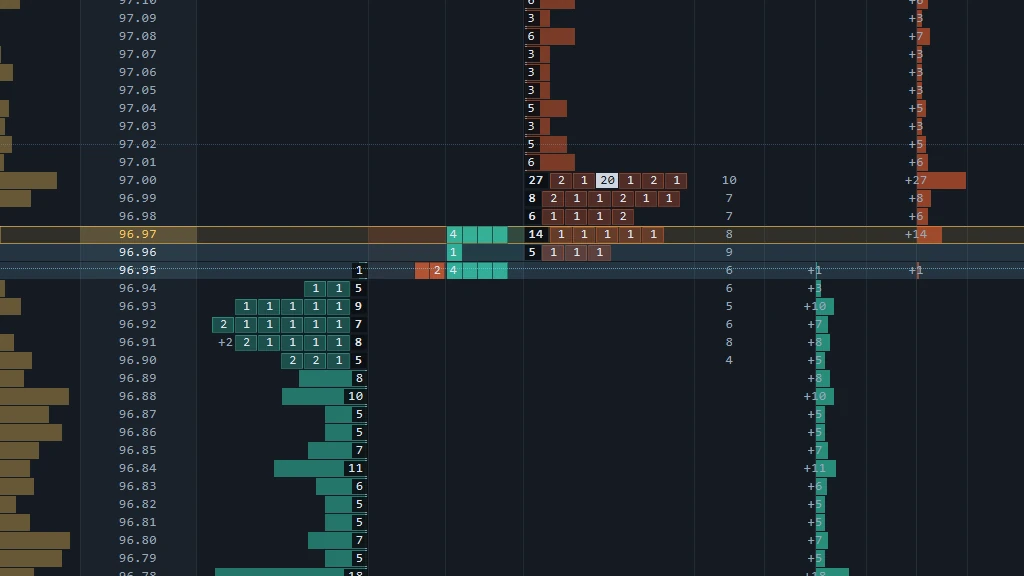
When your feed sends Market by Order, the ladder adds the number of orders at each price and draws the individual order sizes near the best prices in the order they arrived. Your own working orders get an estimate of the size ahead of them — an upper bound, and labeled as one.

Beside your DOM Trader

A second window, not a second order ticket.

Order entry stays where it is. OrderVane DOM only reads the book, so no click on this window can send an order.

The OrderVane DOM equalizer: five sliders over the flow panel

Equalizer

Tune the panel while you watch it.

Five sliders over the flow panel — floor, top, bubble size, minimum trade and scale. Drag a track for a rough value or click the number to type an exact one.

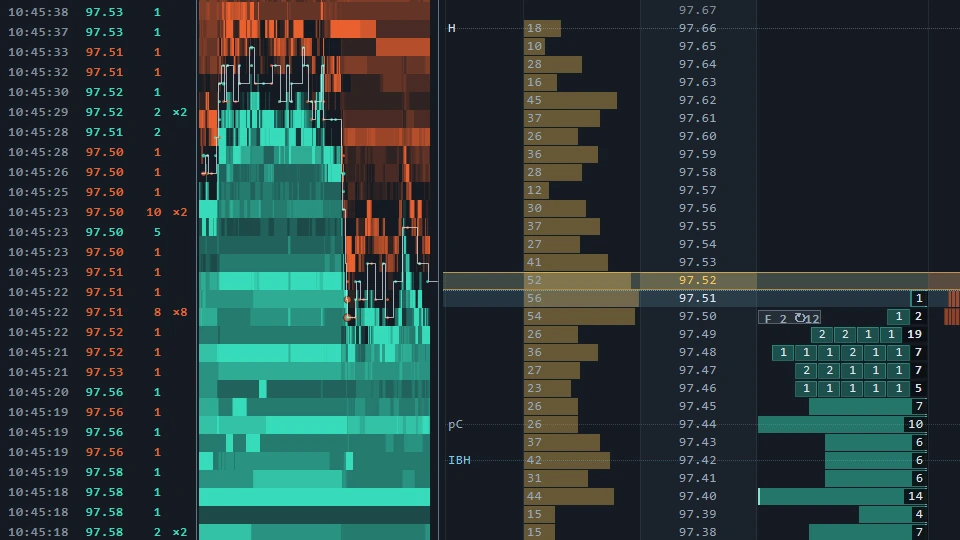
The OrderVane DOM tape beside the flow panel, with same-price prints grouped into one row

Tape and power meter

The prints and the effort, next to the ladder.

A reconstructed time & sales sits beside the ladder with same-price prints grouped into one row. A header line sums buy and sell effort over the last seconds, and the adds and pulls around the best prices.

Fits your layout

A window that behaves like part of Quantower.

It follows the chart's symbol, snaps to the edges of Quantower's windows, and can stay on top. Prefer it on the chart? Switch the surface and the ladder draws on the right side of the chart instead.

Is it for you?

Built for traders who read the book.

We'd rather you know before you buy.

Built for you if…

  • You trade from Quantower's DOM and want a second read of the book beside it
  • Your data plan includes Level 2 — and ideally Market by Order — for what you trade
  • You watch size being added, pulled and filled at a price, and make your own call

Probably not for you if…

  • × You want to place or manage orders from this window — it never trades
  • × Your data plan has no market depth — the ladder needs Level 2
  • × You want buy/sell signals — it shows what the book did, you decide

Price

One price. Pay once.

A one-time purchase with free updates. It is its own product with its own key — OrderVane Lite or Pro is not required.

OrderVane DOM Coming soon

A depth ladder in its own window — adds and pulls by side, fills versus pulls, absorption, order-level depth and a flow panel.

$89 one-time, no subscription

At release: a 14-day free trial on your own charts — no card required.

Before you buy

What it needs, and where it stops.

What it needs to run, what it costs besides the license, and what it does not do — before you spend a cent.

What you need to run it

  • A Windows PC
  • The Quantower trading platform
  • Level 2 market depth for the instrument you trade
  • Market by Order for the order-level columns (on AMP/CQG, a setting in the connection)

It installs like any Quantower indicator — the guide walks you through it.

What you actually pay

OrderVane DOM is a one-time purchase — no subscription, no renewal billing.

To run any Quantower indicator you'll also need the following — separately, and not paid to us:

  • A Quantower platform license (Quantower offers both free and paid tiers)
  • Market data with Level 2 depth, from your broker or a data provider

We don't take a cut of either — and we'd rather you hear that from us than discover it later.

Being straight with you

  • It reads the book, it doesn't predict it — you see what the book did, not what happens next
  • It never places, changes or cancels an order — order entry stays in Quantower's DOM Trader
  • Depth from before the window was attached is not available — the platform does not store past depth
  • Session volume is recalculated from your broker's trade history when it reloads, so a busy stretch can read slightly differently than it did live
  • Without Market by Order, the order-level columns are simply not drawn

Available now · OrderVane for Quantower

Order flow on your chart: Lite and Pro.

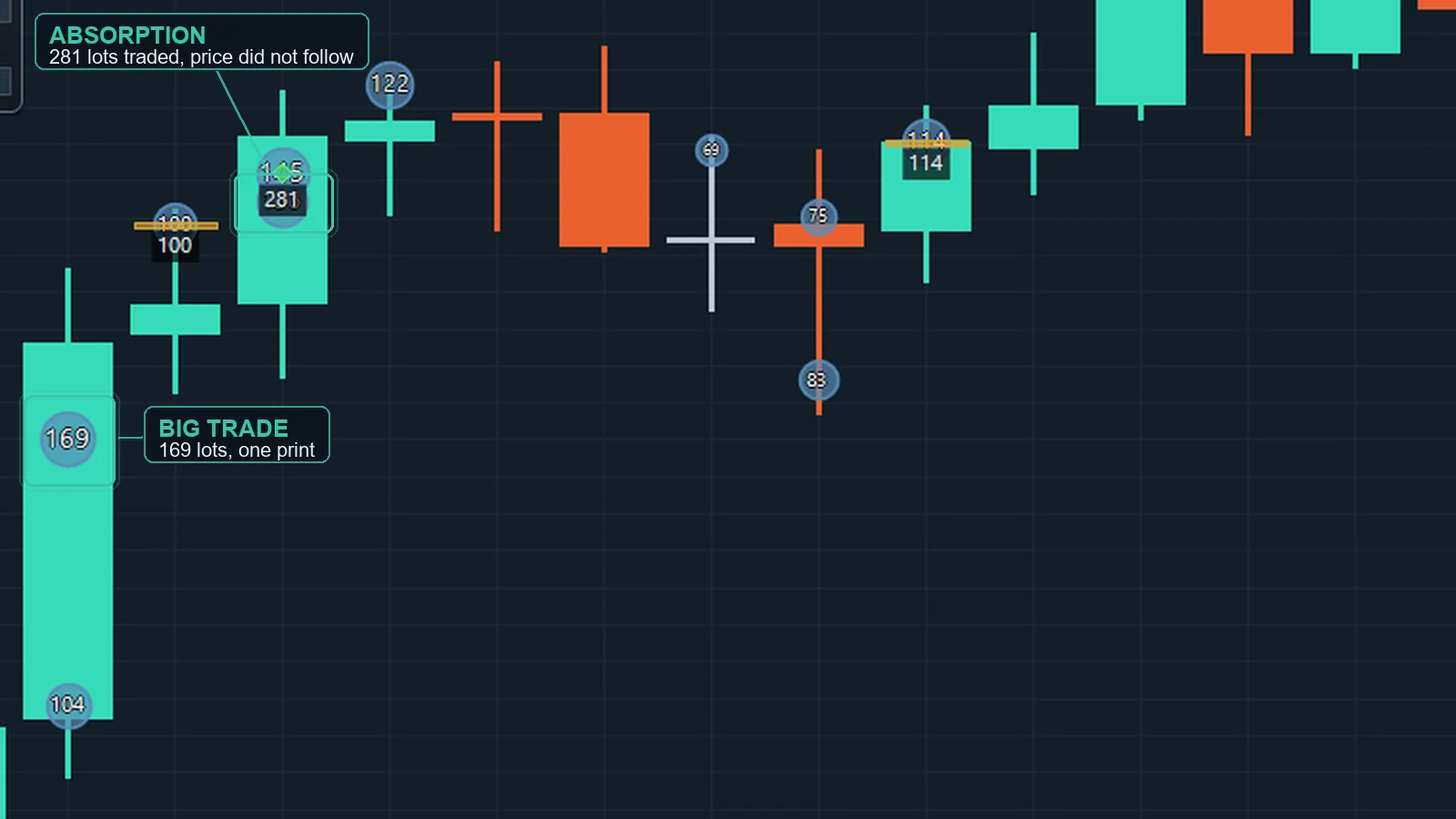
OrderVane marks where size traded on your Quantower chart — large trades, volume stacked at a single price, absorption — and the price levels where volume built up. It shows what happened, not signals. The call stays yours.

See Lite and Pro Lite $89 · Pro $129 · 14-day free trial
OrderVane Lite — big trades, aggression clusters and absorption on one chart.

Questions

Straight answers to fair questions.

Does it place orders?

No. OrderVane DOM never places, changes or cancels an order. It reads the depth and trades Quantower already receives, and reads your working orders and position only to draw them. Order entry stays in Quantower's DOM Trader.

Do I need OrderVane Lite or Pro?

No. OrderVane DOM is a separate indicator with its own license key. If you already use Lite or Pro, it installs alongside them.

Which market data do I need?

Level 2 market depth for the instrument. Order counts and individual order sizes need Market by Order; on AMP/CQG that is a setting in the connection. Without Market by Order those parts are simply not drawn — they never show zeros that mean unknown.

Can it show what the book did before I opened it?

No. The platform does not store past market depth, so recording starts when the window is attached. The session volume column loads the session's trades from your data feed's tick history (or the chart's bars if the feed has none), so it is filled from the start.

How do the trial and the license work?

The 14-day trial is the full product on your own charts, with no card. After purchase your key activates on two computers at a time; release it on one to move it to another.