What it draws
The Pro toolkit, on NinjaTrader 8.
One indicator, OrderVane Pro, plus the OrderVane Range Box drawing tool. Everything it draws comes from trades that already printed.
Footprint
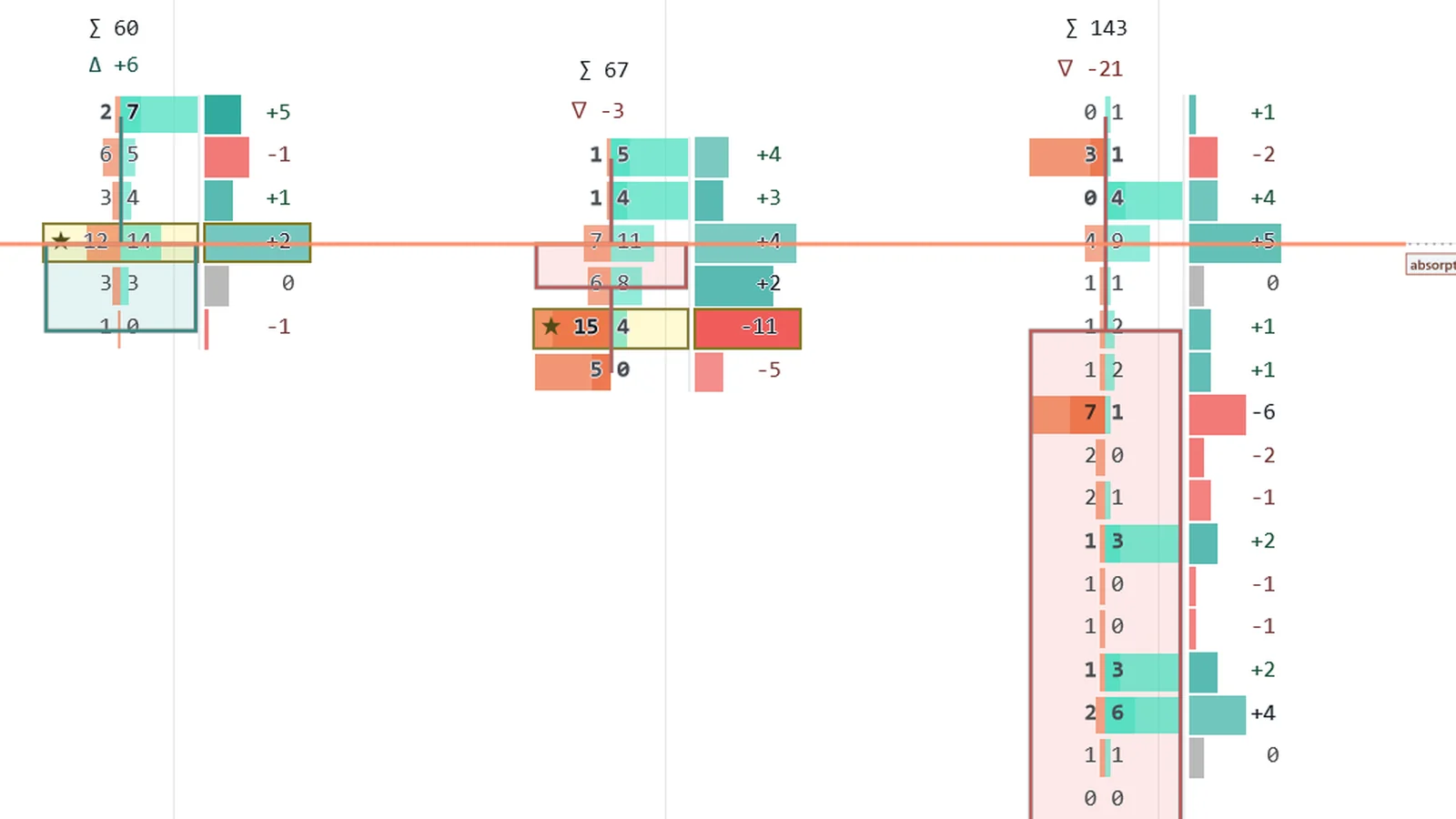
Every price in the bar — bid × ask.
Bid × ask cells inside each bar, with the bar's point of control, imbalances and stacked-imbalance zones that extend until price breaks them. Zoomed out, bars become wide candles with their volume and delta.
Big trades and absorption
Large trades, drawn where they printed.
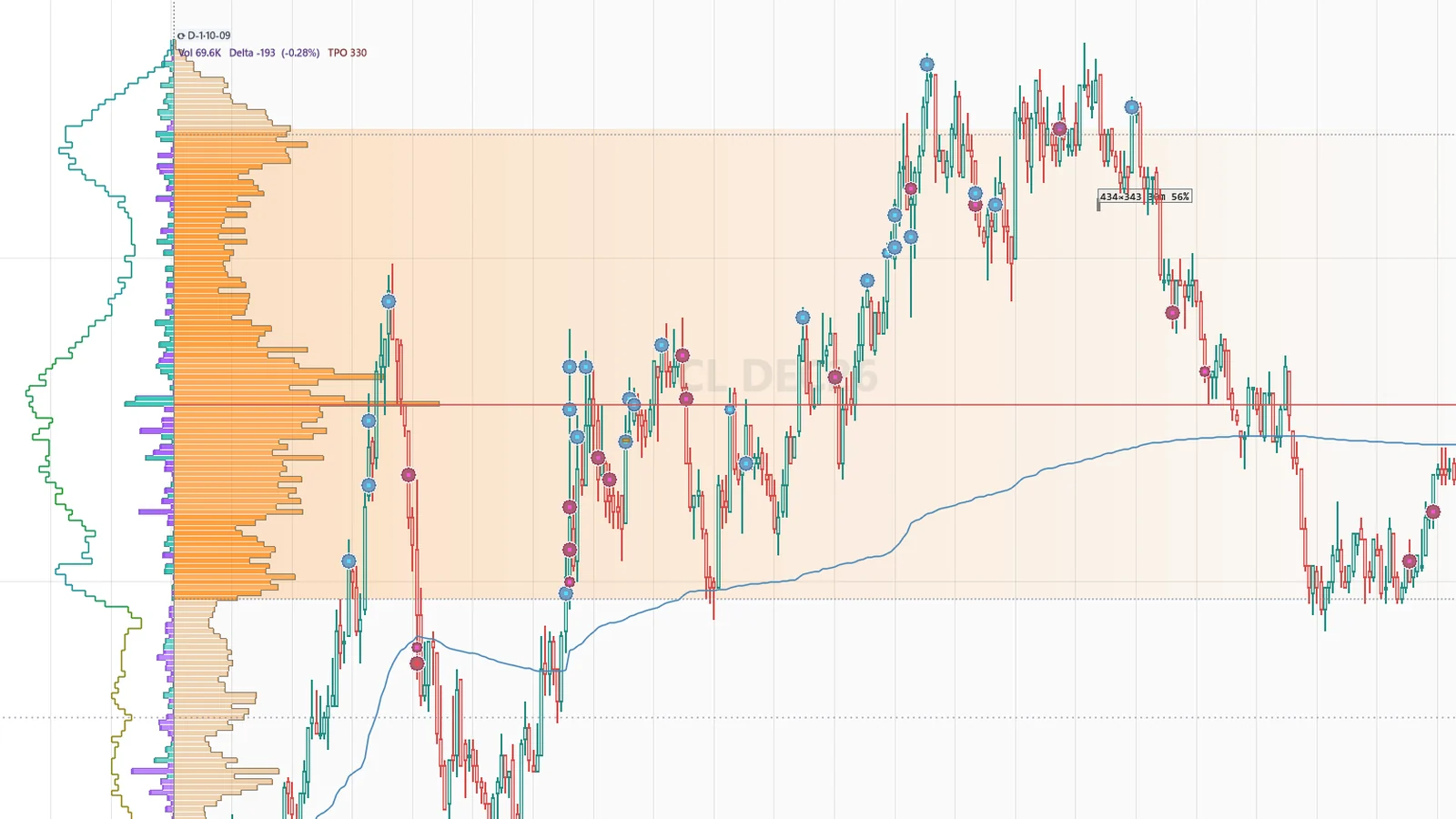
Large prints are drawn as bubbles at their price, sized by volume and colored by the side that took liquidity. Absorption bars mark heavy volume at a price that did not move.
Previous-session levels
Yesterday's value area, carried into today.
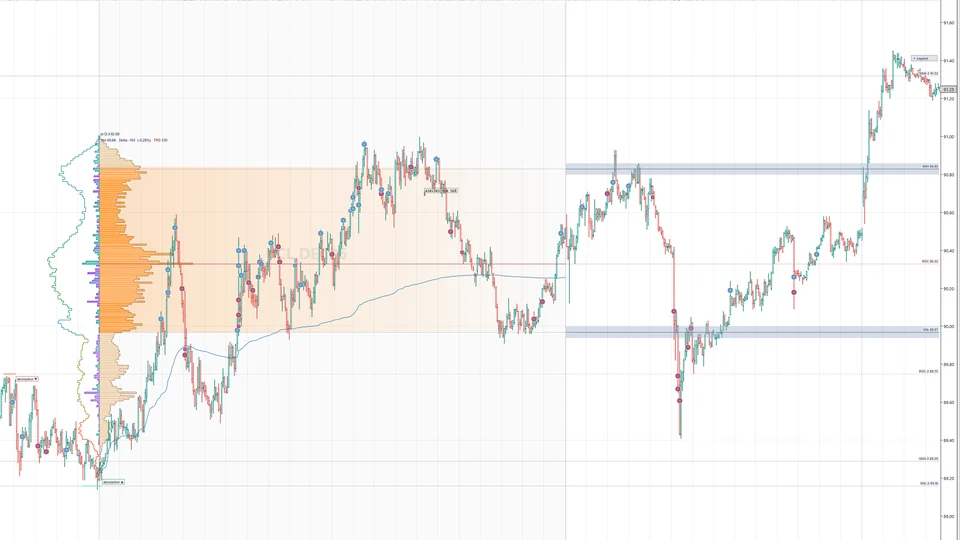
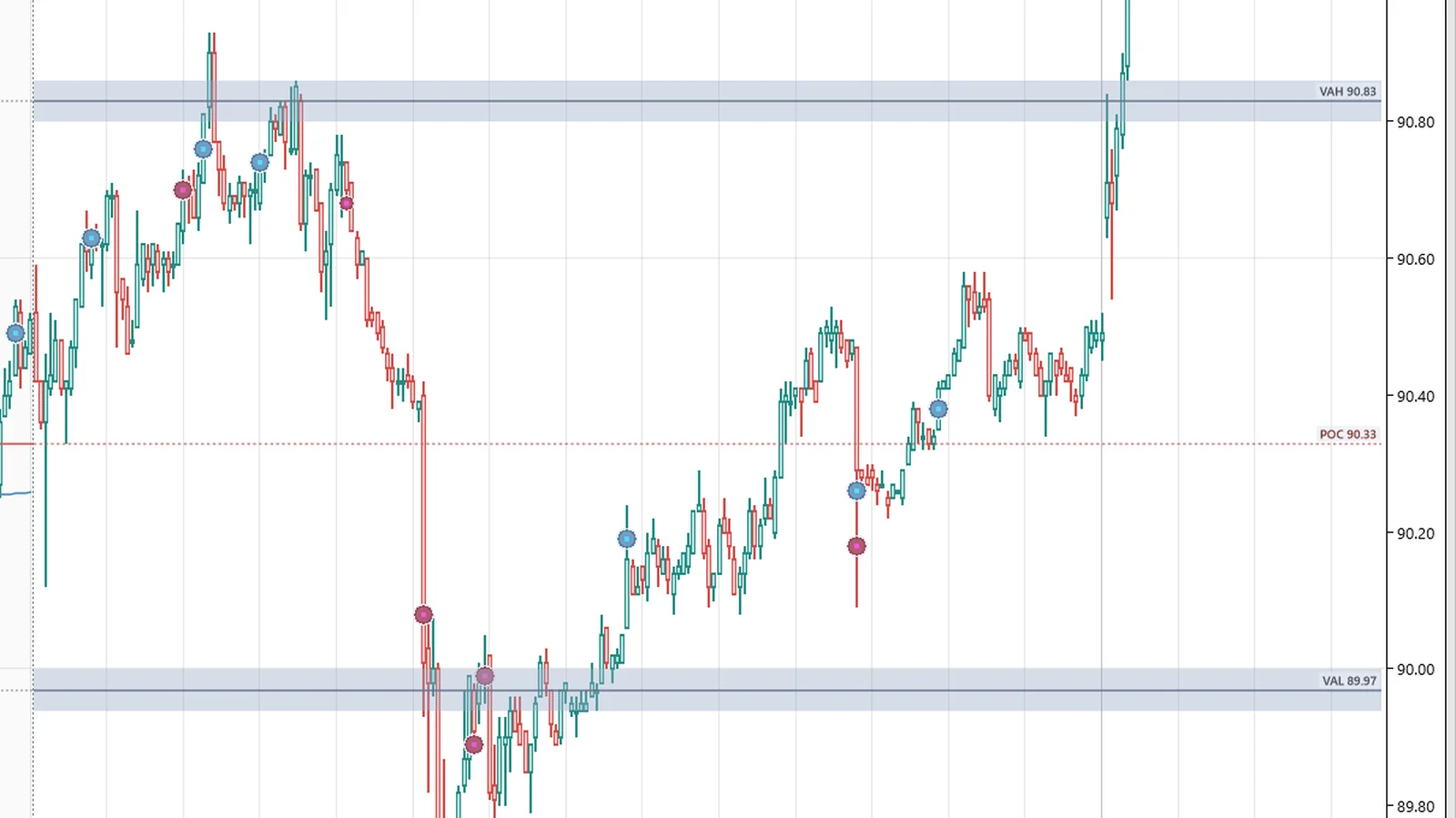
The previous session's profile is rebuilt automatically and its VAH, POC and VAL are carried into today. When size trades into a level without pushing through, the touch is marked — a record of what happened there, not a forecast.
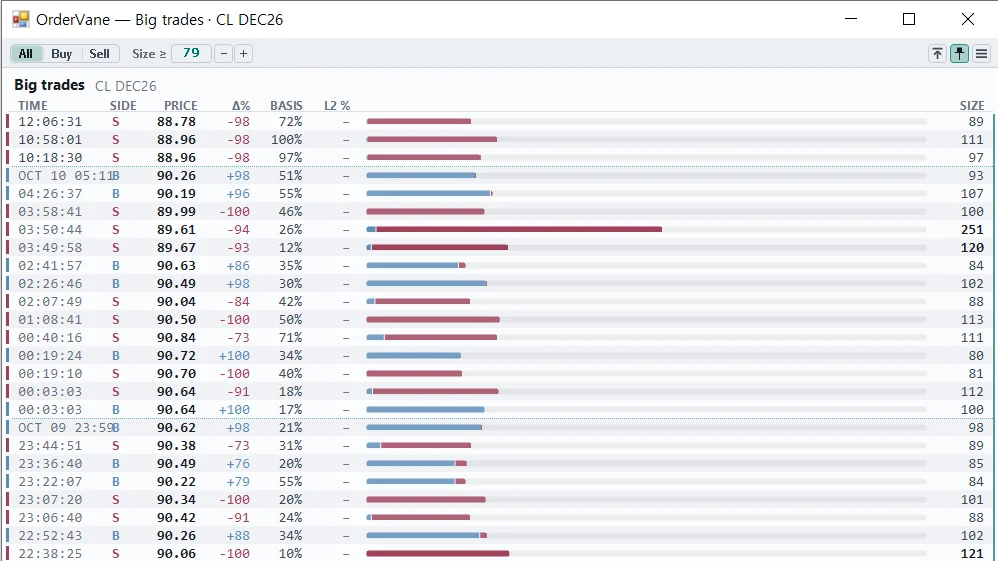
Big trades list
The same big trades, as a list.
A button on the chart opens the big trades it has drawn as a list in a window of its own, with side and size filters.
Session Map
Where today sits against the last five sessions.
The Session Map opens in its own window: five sessions side by side, today's ladder and the regular-hours rows, with a crosshair that follows the chart. Its previous-session VAH, VAL and POC are the same numbers our Quantower edition computes.
Range profile
Drag a box, read that range.
Draw an OrderVane Range Box over any bars for a profile of exactly that range — POC, value area and VWAP included. The box is a NinjaTrader drawing tool, so it is saved with your workspace.
Bar statistics
Every bar as numbers.
Rows under the bars for volume, delta, delta percentage, cumulative delta, trades and more, with heat coloring and a tape-speed row.